

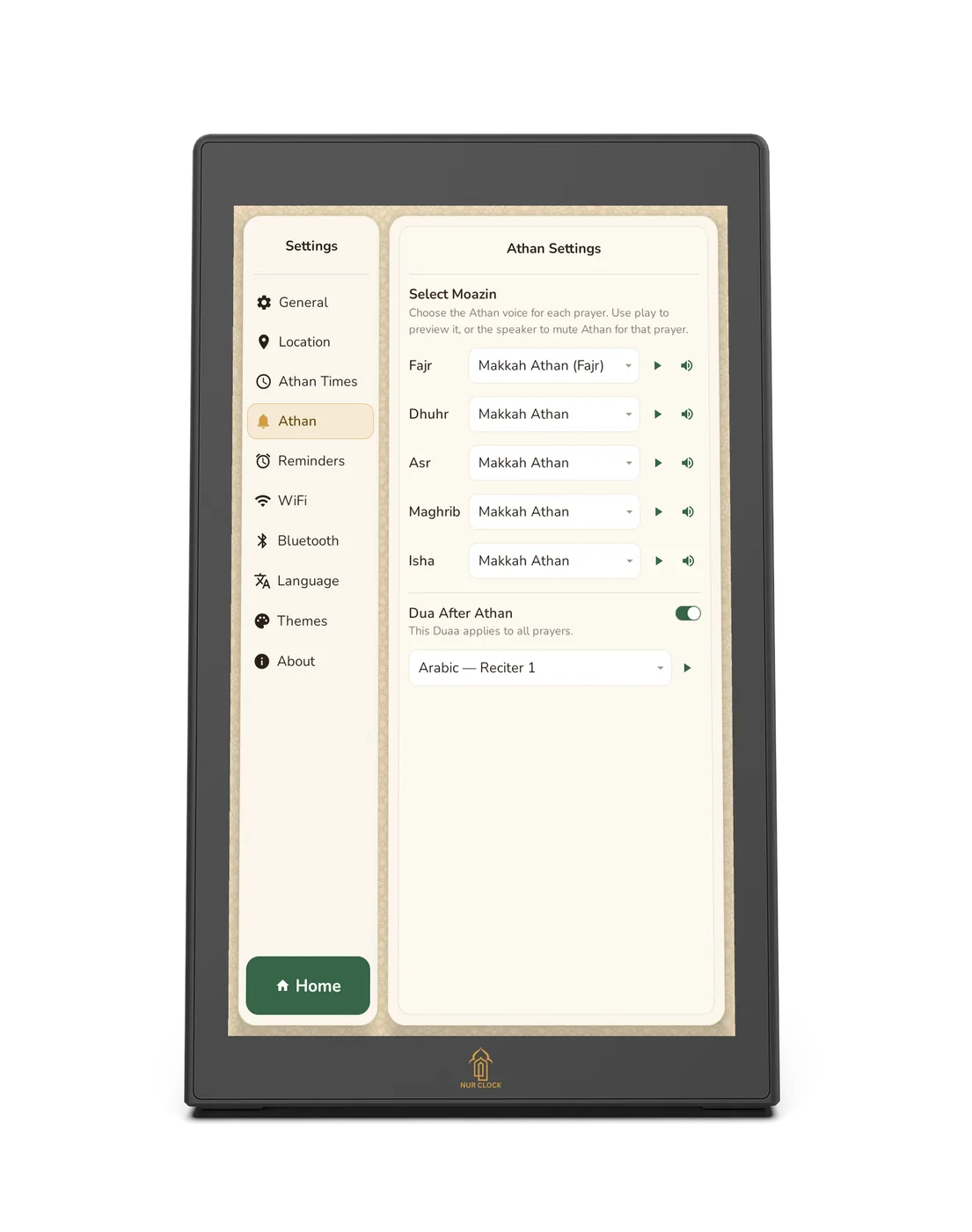
Check the Athan isn’t muted for that prayer: open Settings → Athan and look at the speaker icon next to the prayer.

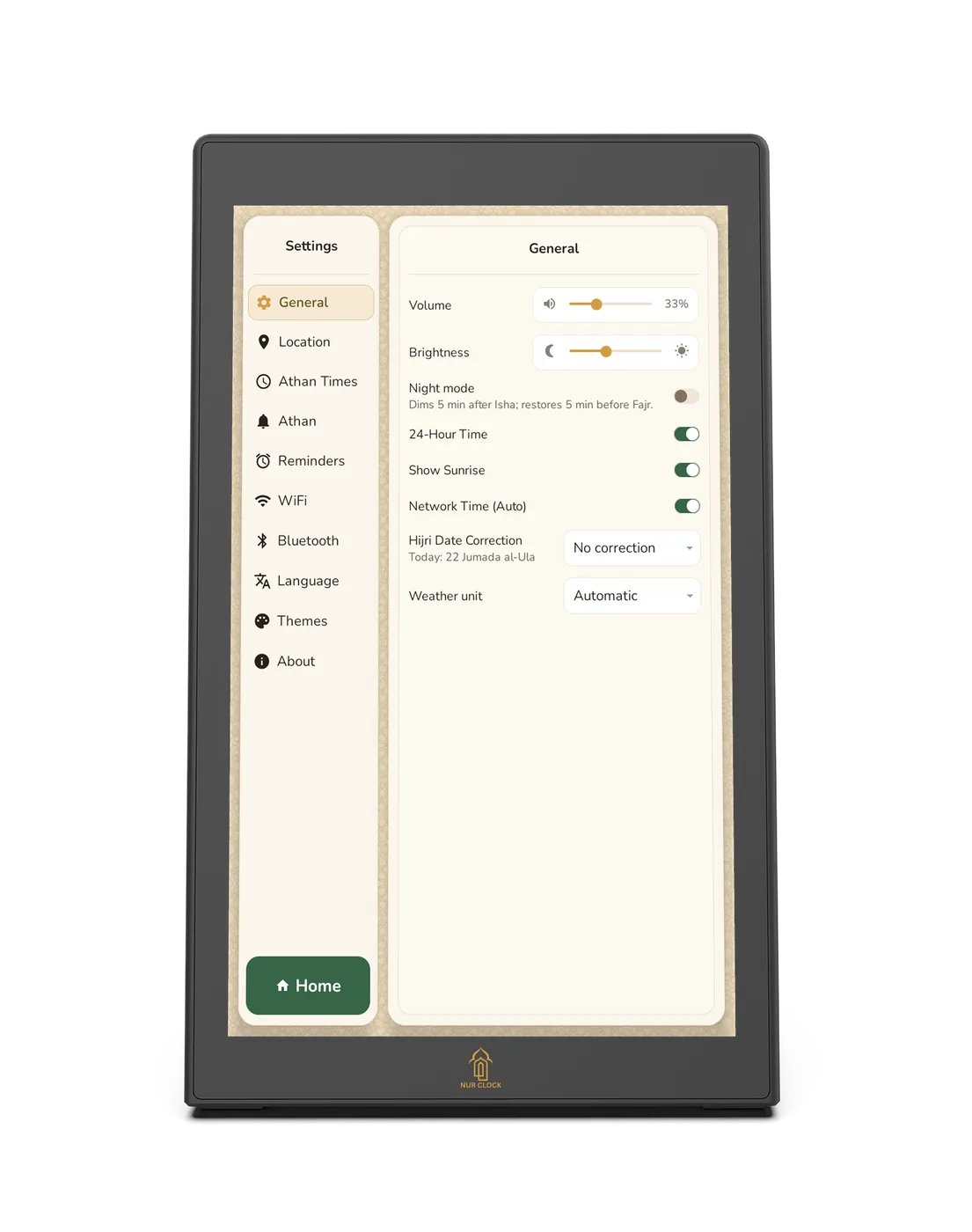
Check the volume: open Settings → General and move the Volume slider up.
If you use a Bluetooth speaker, check it’s switched on, charged and Connected in Settings → Bluetooth.
Check the prayer time itself: confirm your location in Settings → Location and your method in Settings → Athan Times.
If you chose your own USB Athan and the file is missing, Nur Clock plays the Madinah Athan instead. Choose the file again.
Still not right? Try Settings → About → Reboot device.
Troubleshooting
The Athan didn’t play
Most of the time it’s a setting or the sound output. Work through these checks.
Nur Clock, 2nd generationCheck these in order
Still not working? Email support@nurclock.com with your model and, if you can, a short video.
Was this helpful?
Thank you for letting us know.
Sorry about that. Tell us what you were looking for and we’ll help.
Related articles
Still need help?
Email support@nurclock.com and the team that makes Nur Clock will reply.