

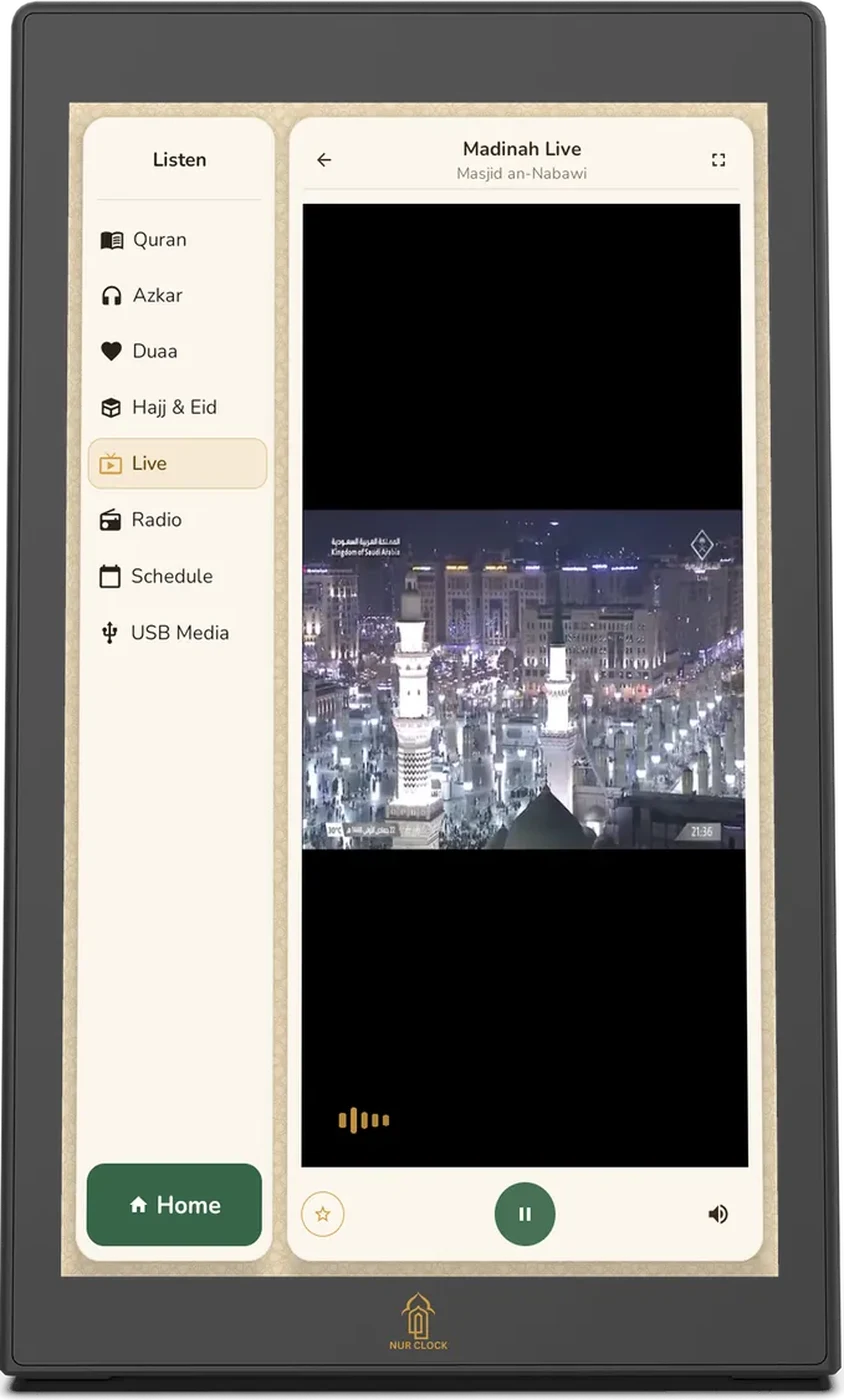
Tap Listen, then Live, and choose Makkah Live (Masjid al-Haram) or Madinah Live (Masjid an-Nabawi).

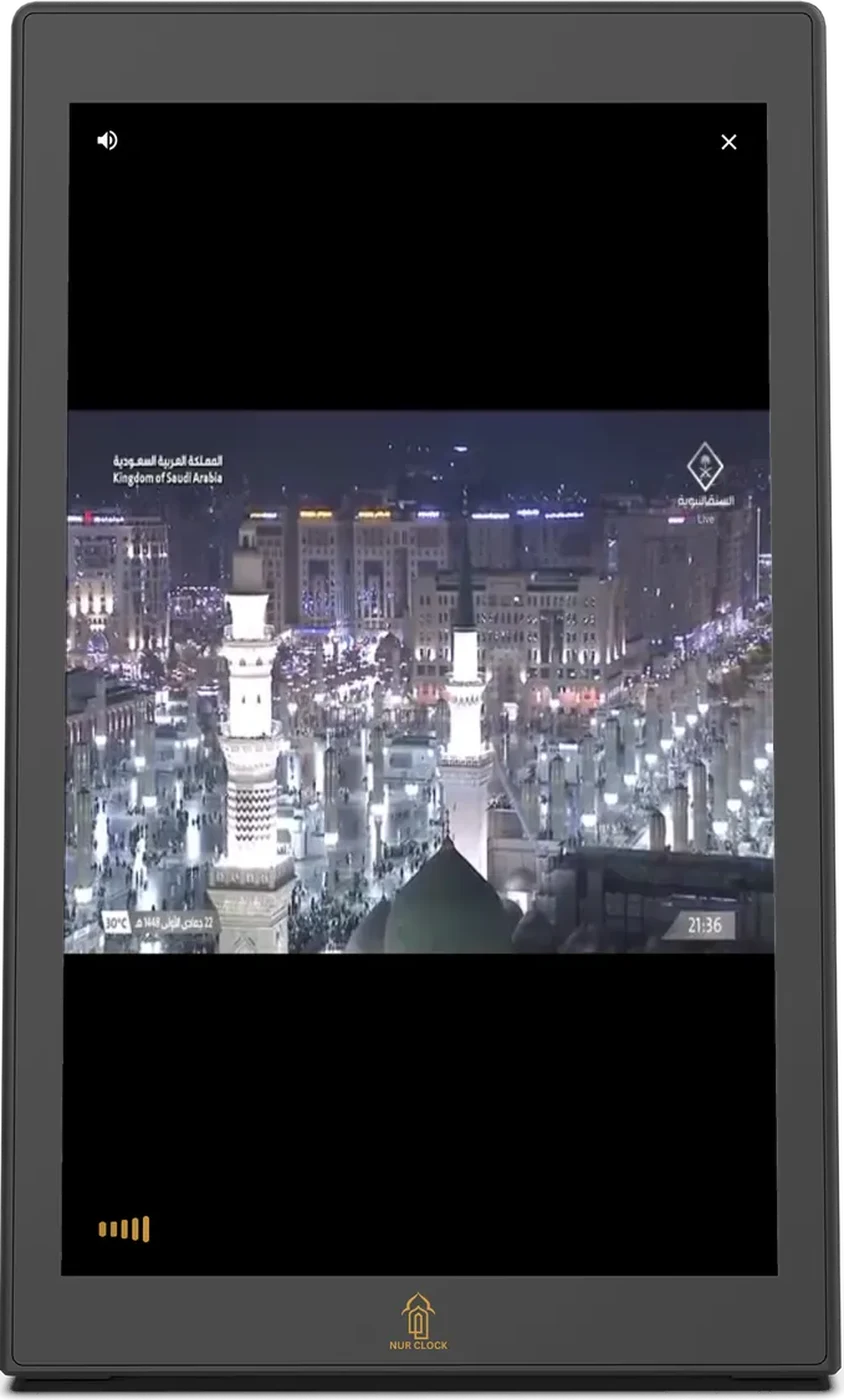
Tap the full-screen icon at the top right to fill the screen. Tap × to come back.
Tap the star to save a stream to your favourites.
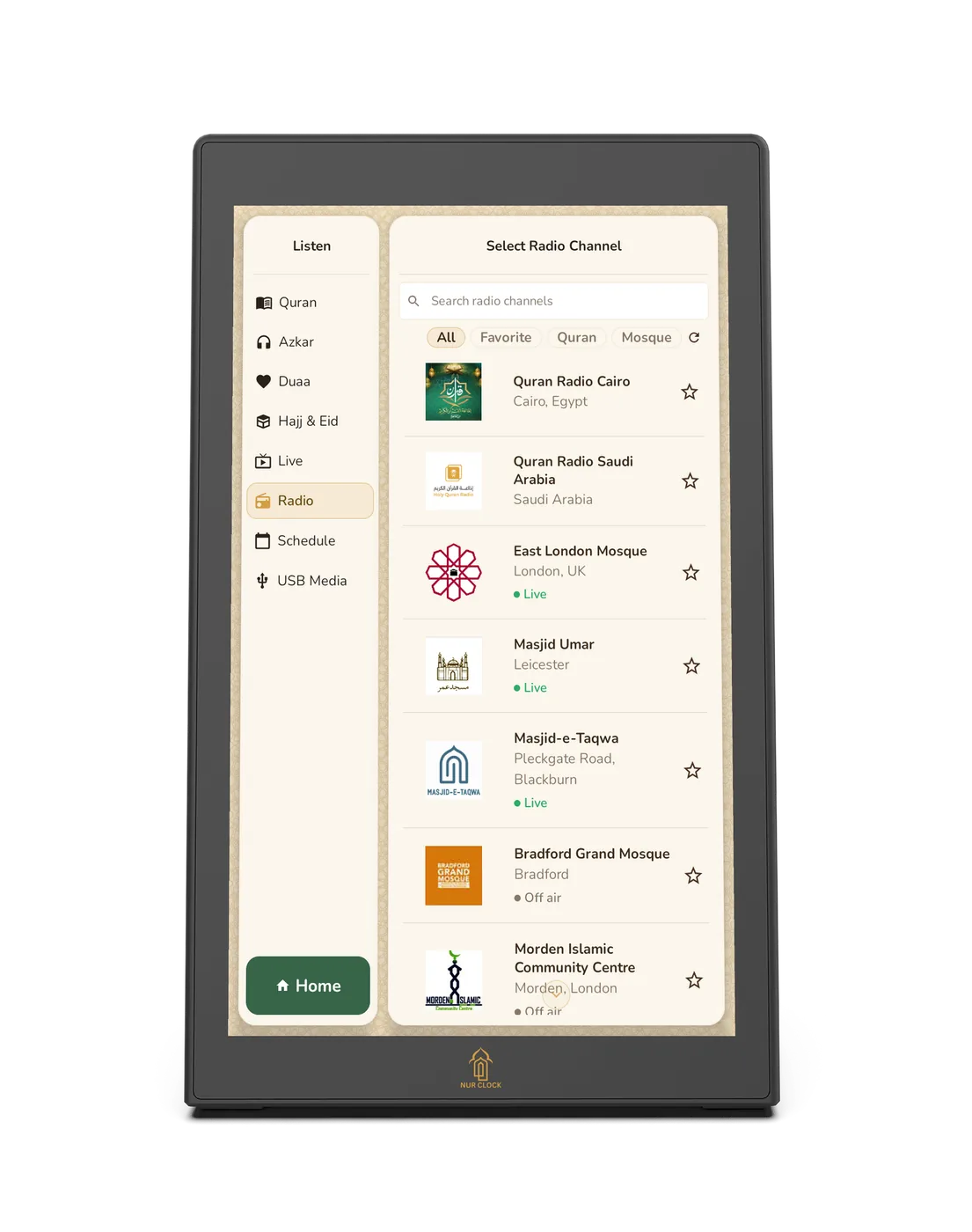
For audio, tap Listen, then Radio, for Quran stations and UK mosques. Use the filters (All, Favourites, Quran, Mosque) and the live indicator to find what’s on now.

Listening
Live streams and mosque radio
Watch Makkah and Madinah live, or listen to Quran radio and UK mosques. These need Wi-Fi.
Nur Clock, 2nd generationListen → Live / Radio
Live streams and radio pause for the Athan, like all other audio.
Was this helpful?
Thank you for letting us know.
Sorry about that. Tell us what you were looking for and we’ll help.
Related articles
Still need help?
Email support@nurclock.com and the team that makes Nur Clock will reply.