Athan and sound
Adding your own Athan from USB
Add a favourite recording of the Athan from a USB drive.
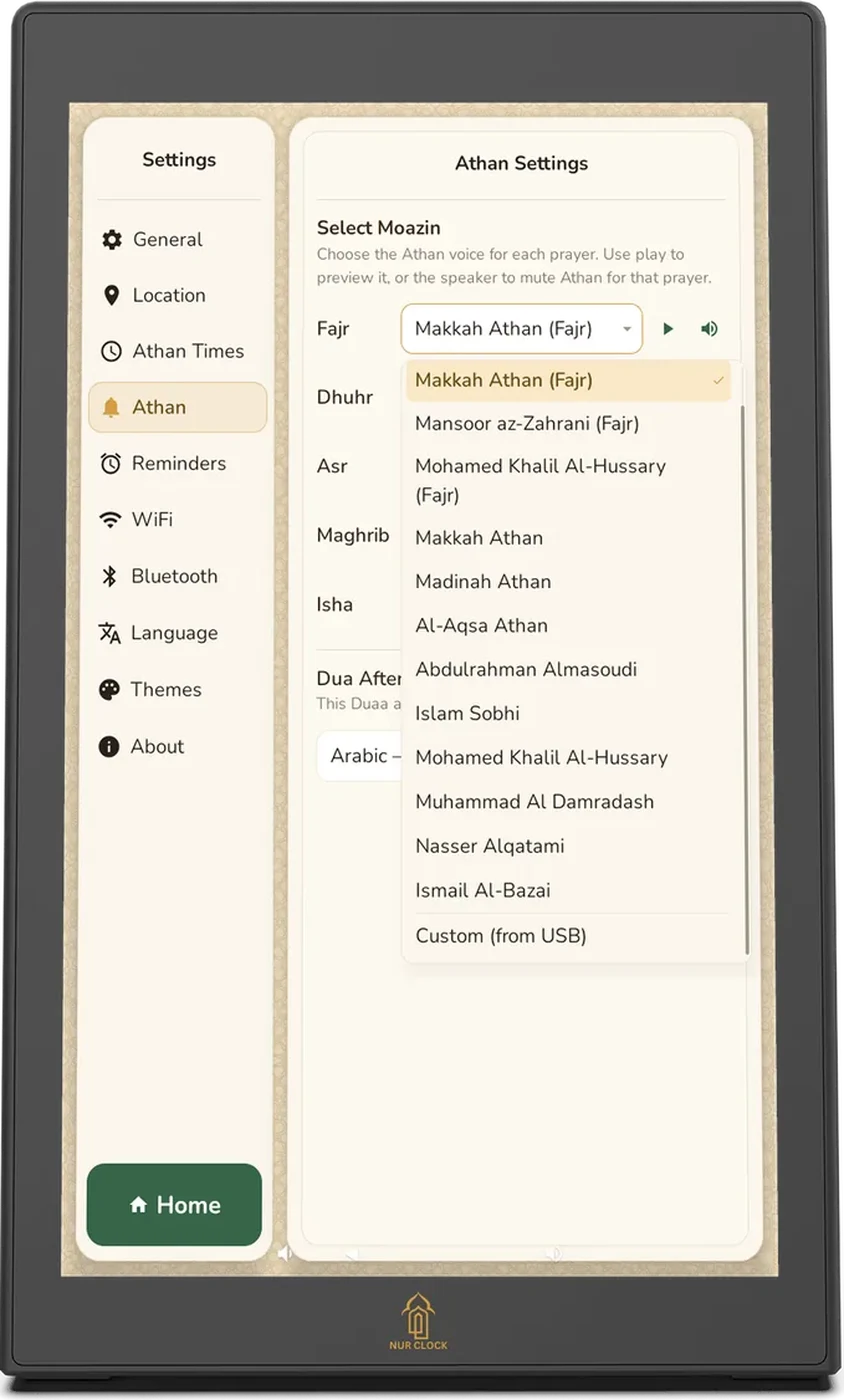
Nur Clock, 2nd generationSettings → Athan → Custom (from USB)
Copy the audio file (for example an MP3) onto a USB drive.
Plug the drive into the USB port on the back of the clock.
Open Settings → Athan, tap the list for the prayer you want, and choose Custom (from USB) at the bottom.
Choose your file. Nur Clock copies it, so you can remove the drive afterwards.
Your own recordings show the calligraphy without the word-by-word animation. If the file is ever missing, Nur Clock plays the Madinah Athan instead.
Still need help?
Email support@nurclock.com and the team that makes Nur Clock will reply.