

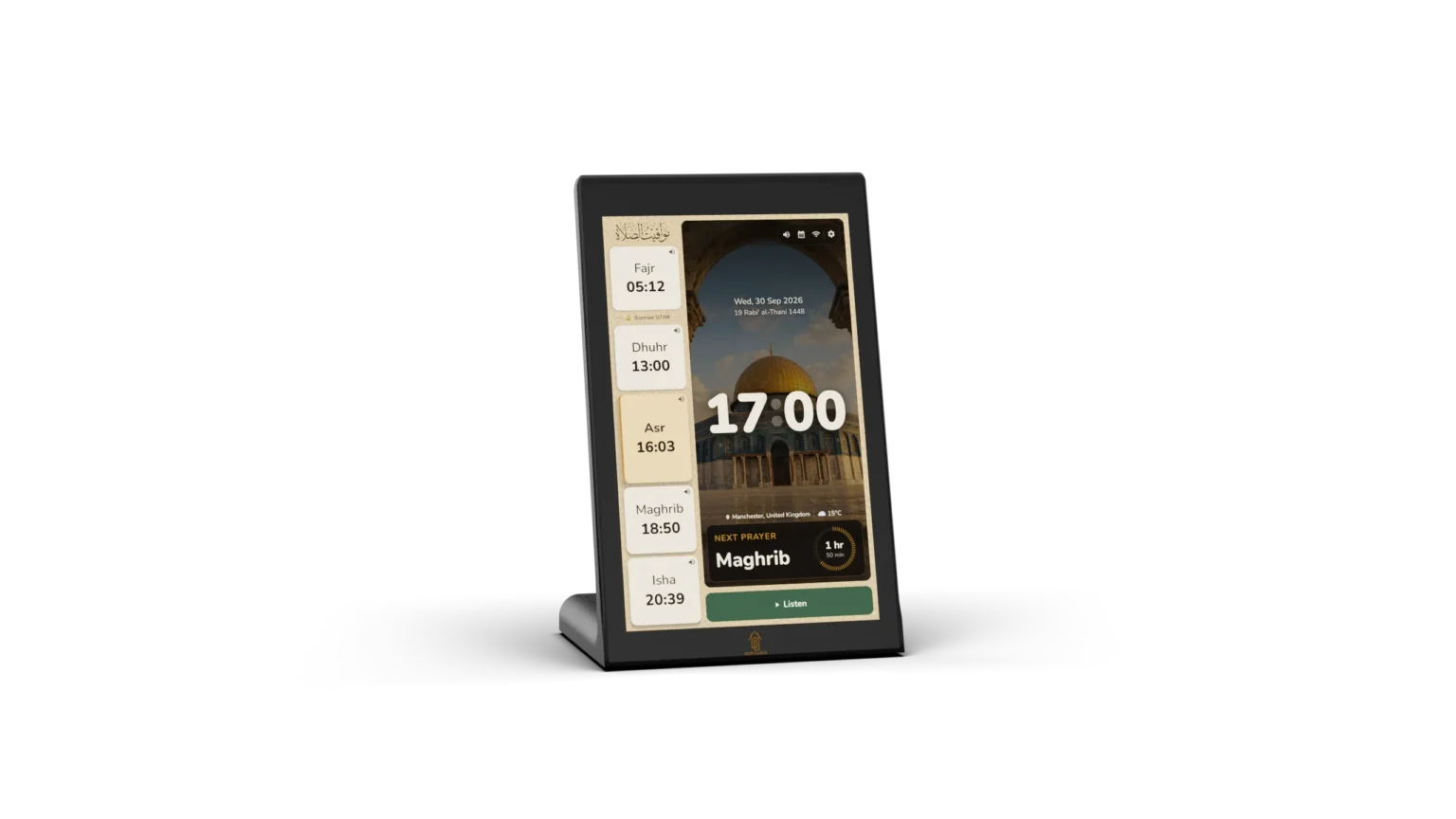
Bring the beauty of the Athan into your home.
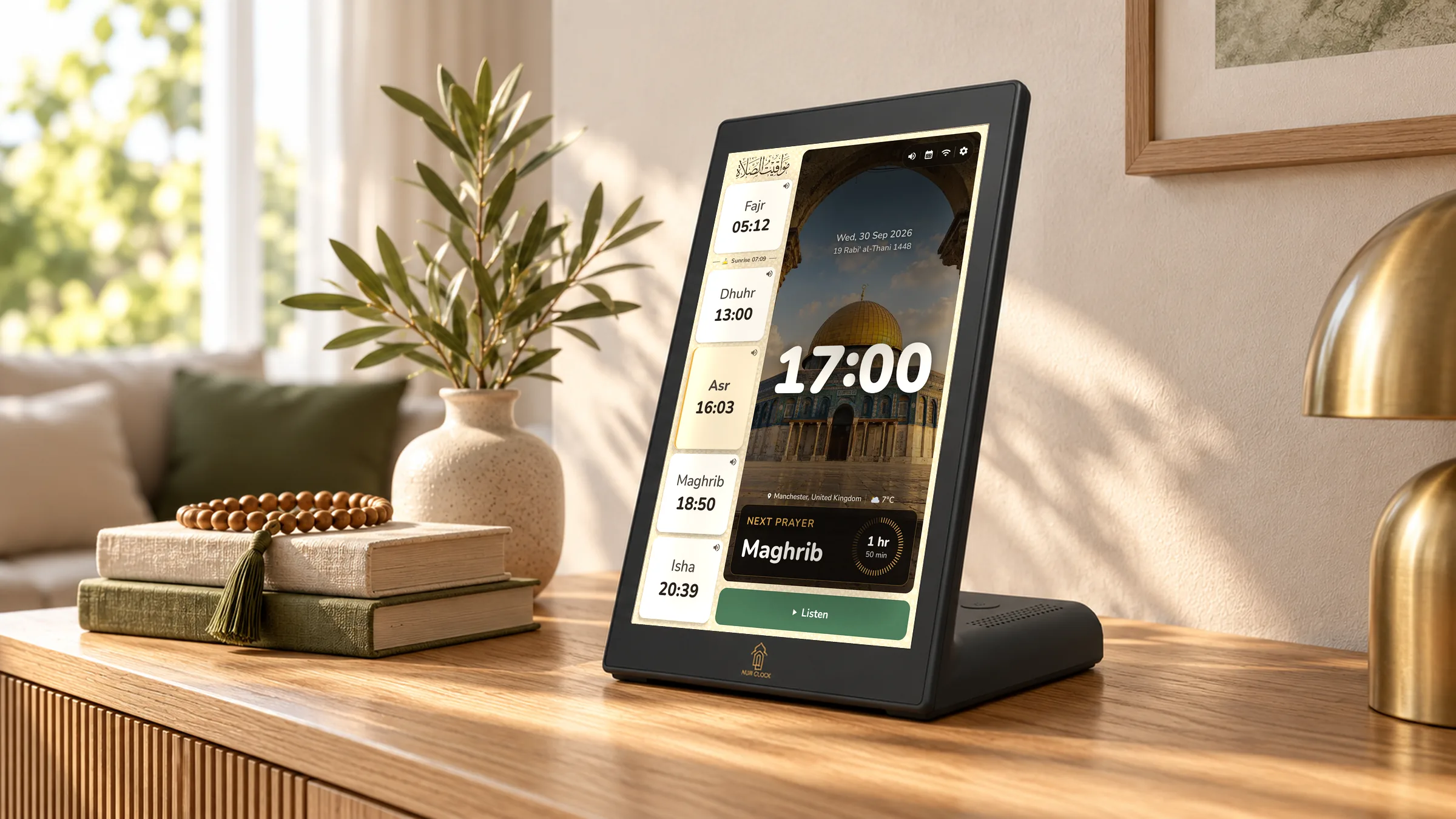
Meet Nur Clock, a 10.1-inch Smart Athan Clock that brings the call to prayer, Quran recitation and daily Azkar into everyday life.
Accurate prayer times for where you live, even without Wi-Fi. Your favourite reciters. Thoughtful reminders through the day. All to help you stay close to what matters most.
Highlights
Made for the rhythm of your day.
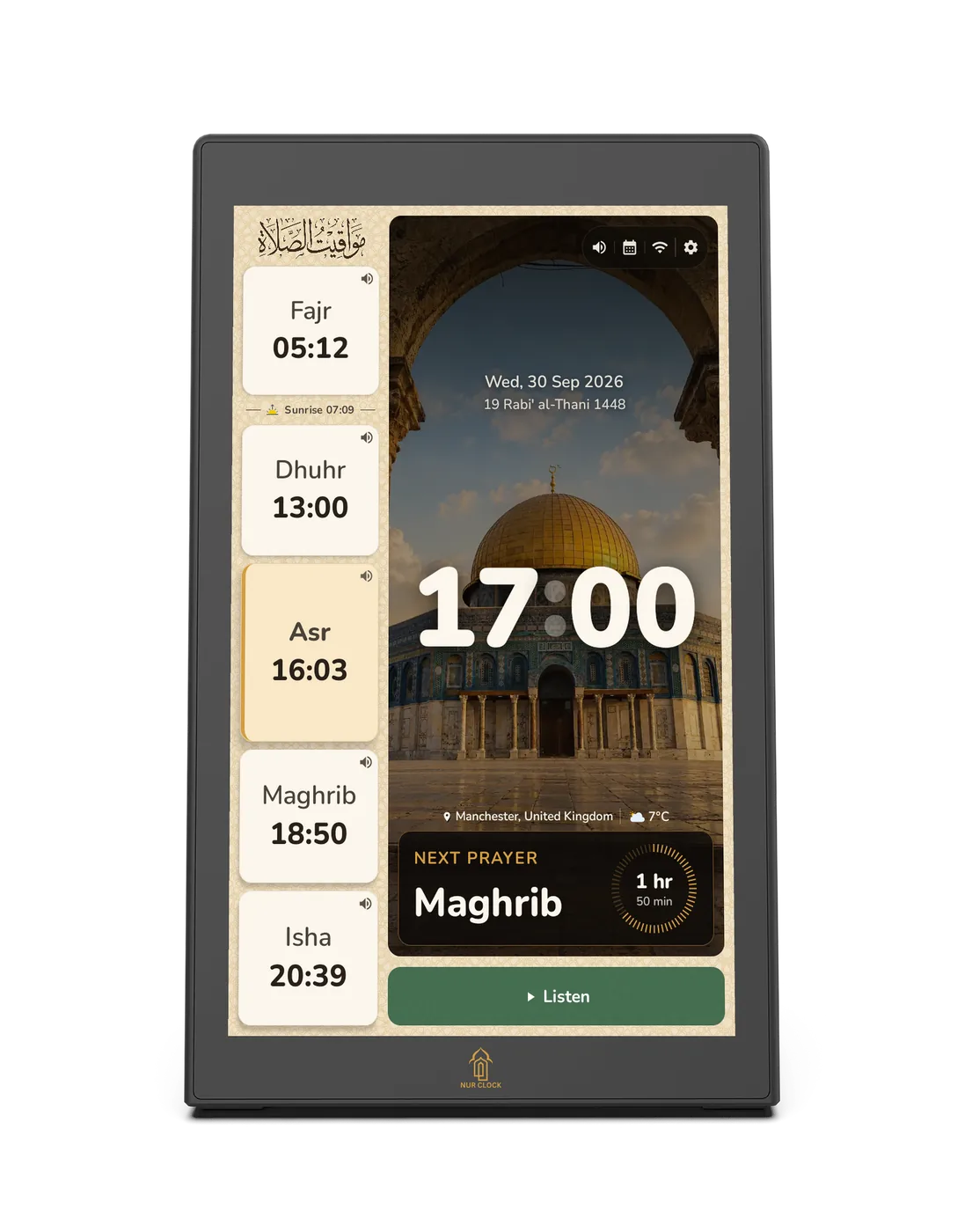
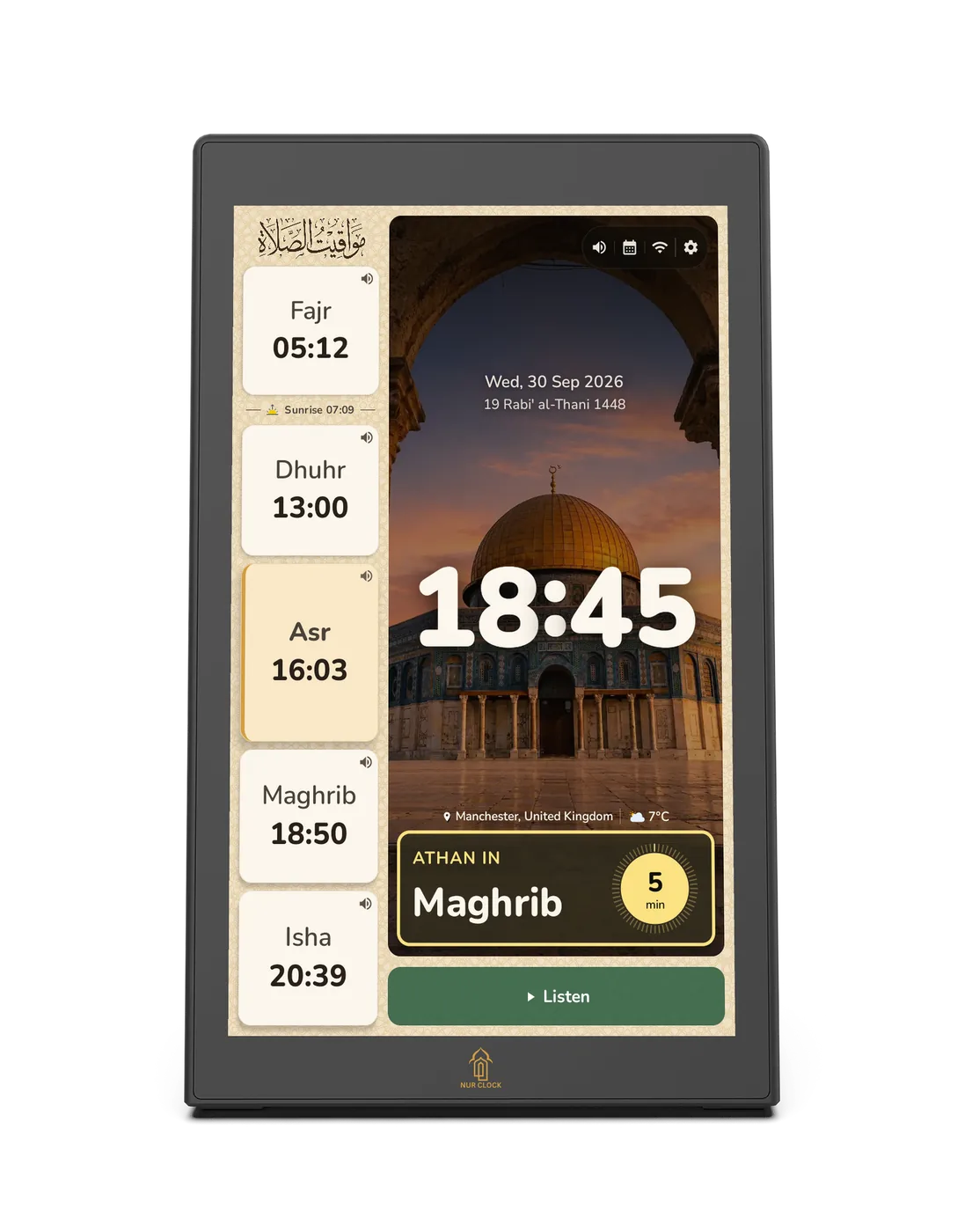
Everything on one calm screen. Prayer times, the next prayer and both dates, all at a glance.
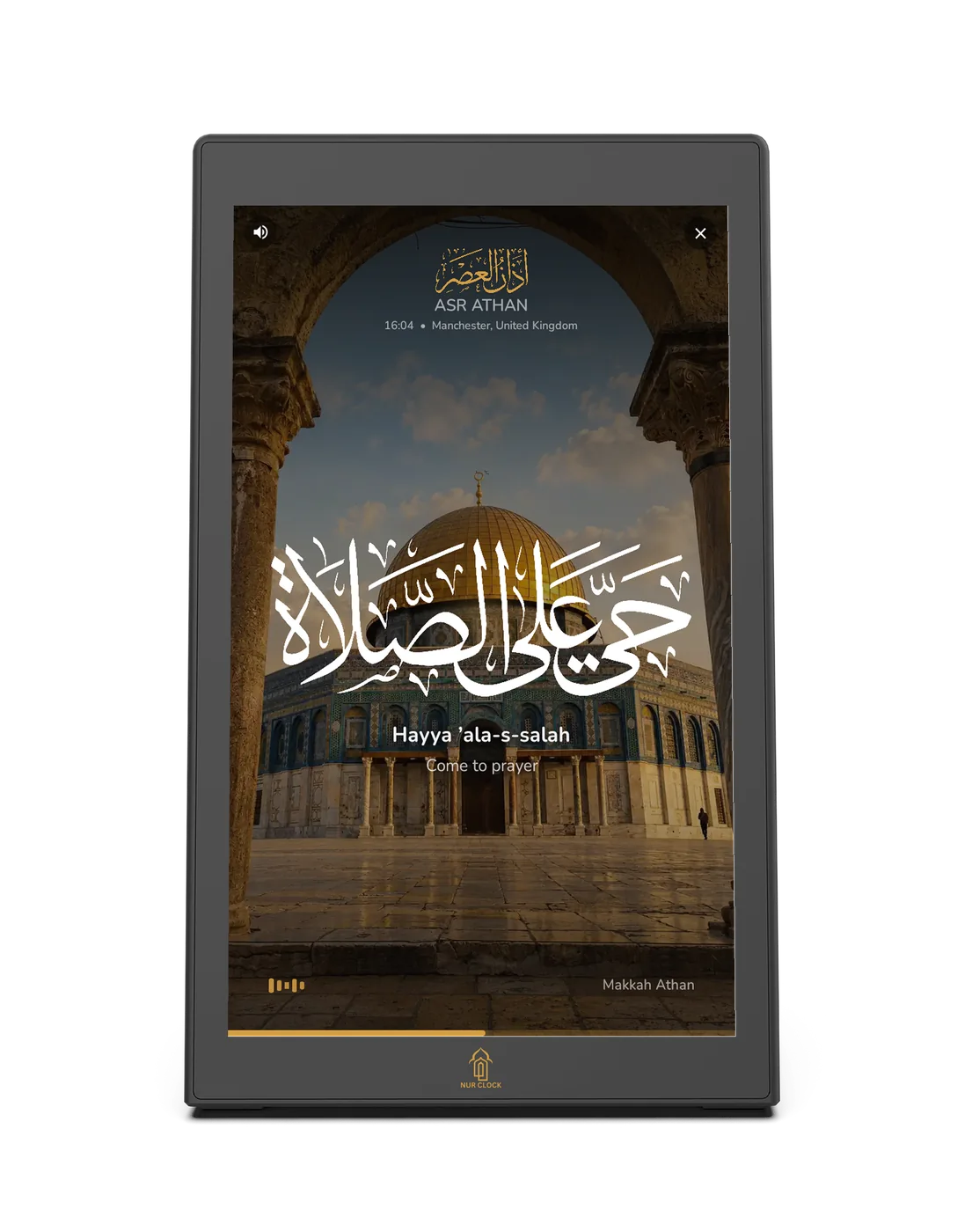
The Athan, at every prayer. 13 voices from Makkah, Madinah and Al-Aqsa, with a different muezzin for each prayer if you like.
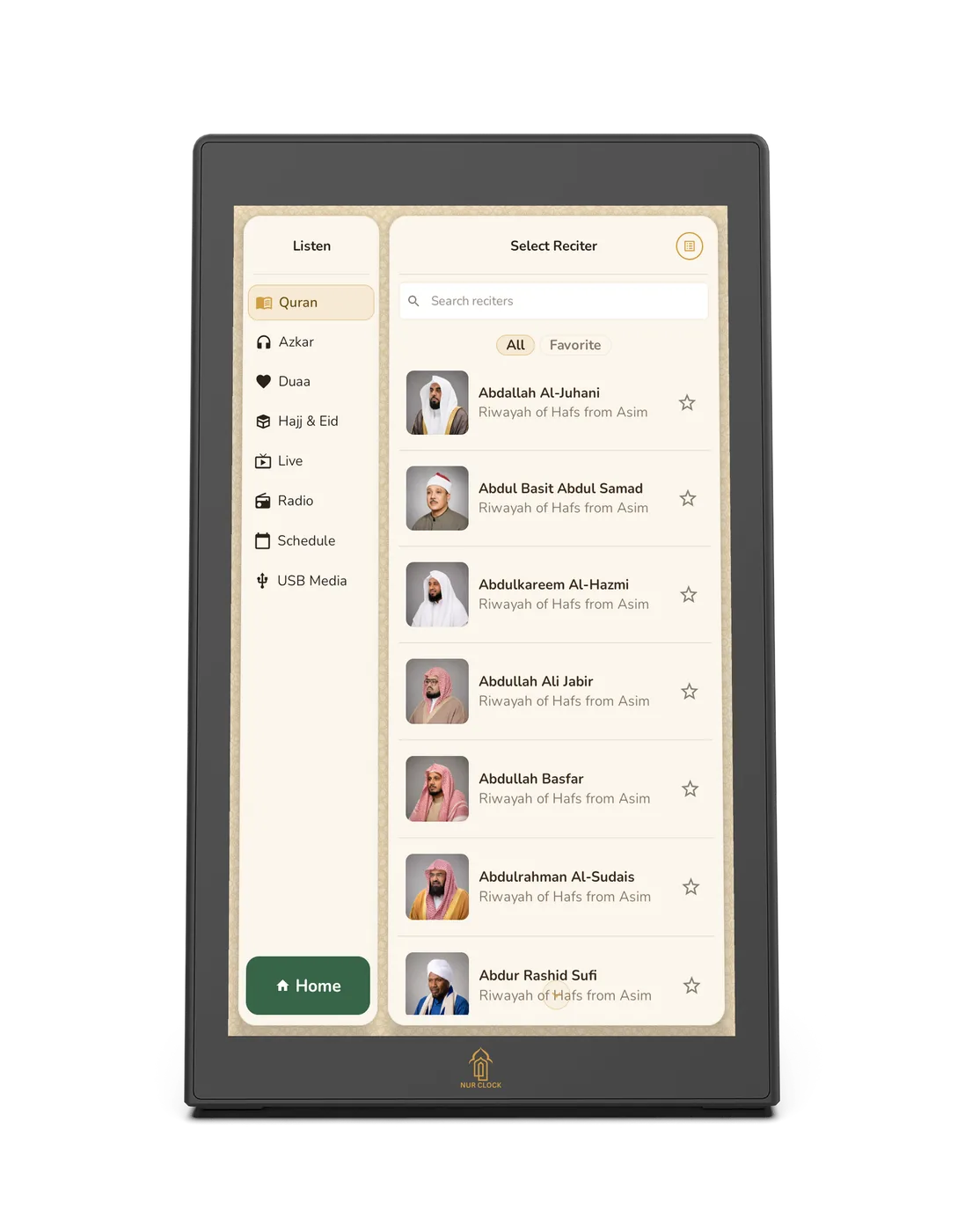
Renowned reciters. The full Quran. The Holy Quran from a growing choice of reciters, with Azkar, Duas and Ruqyah alongside.
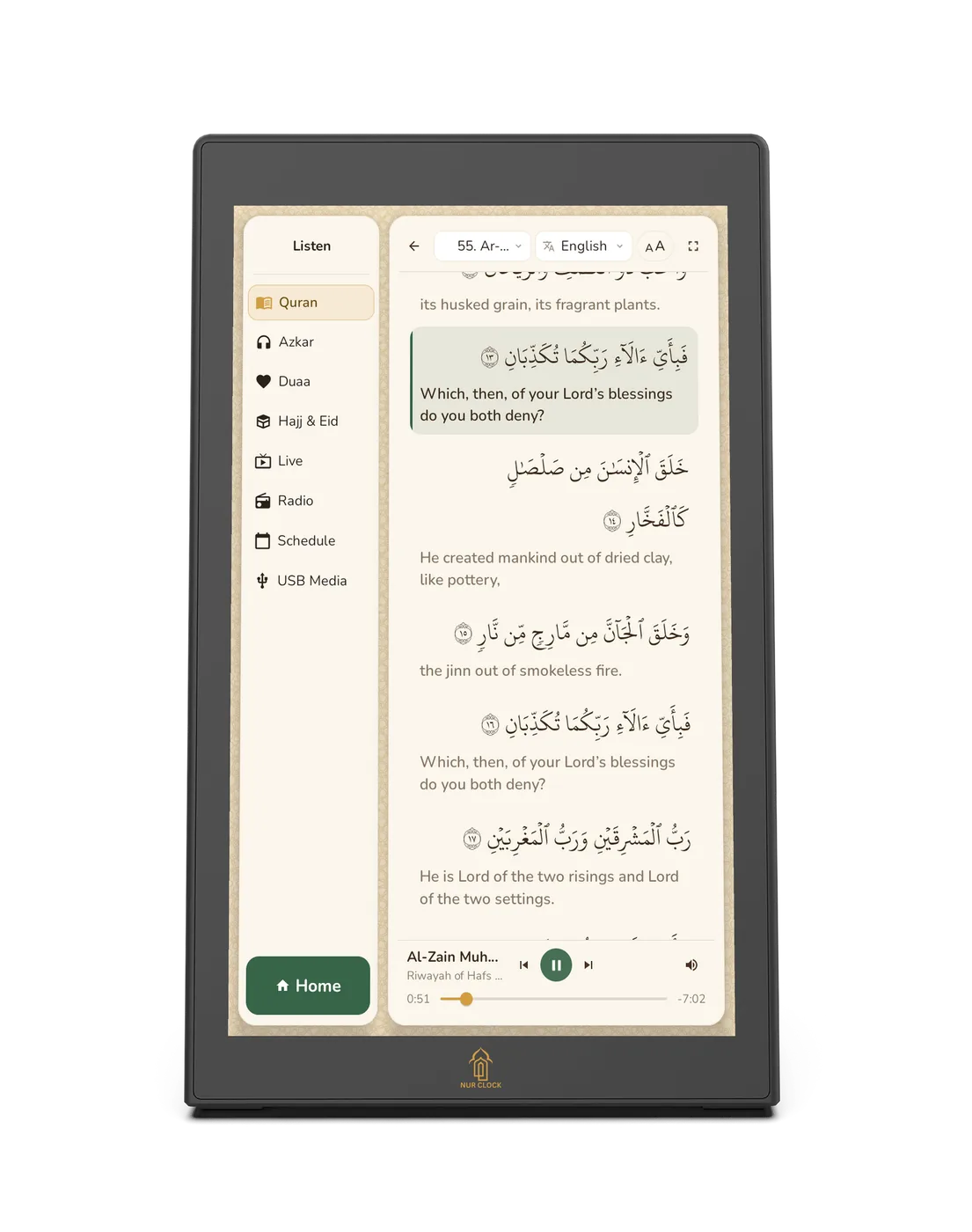
Read along. The Arabic text follows the recitation verse by verse, with an English translation beside it.
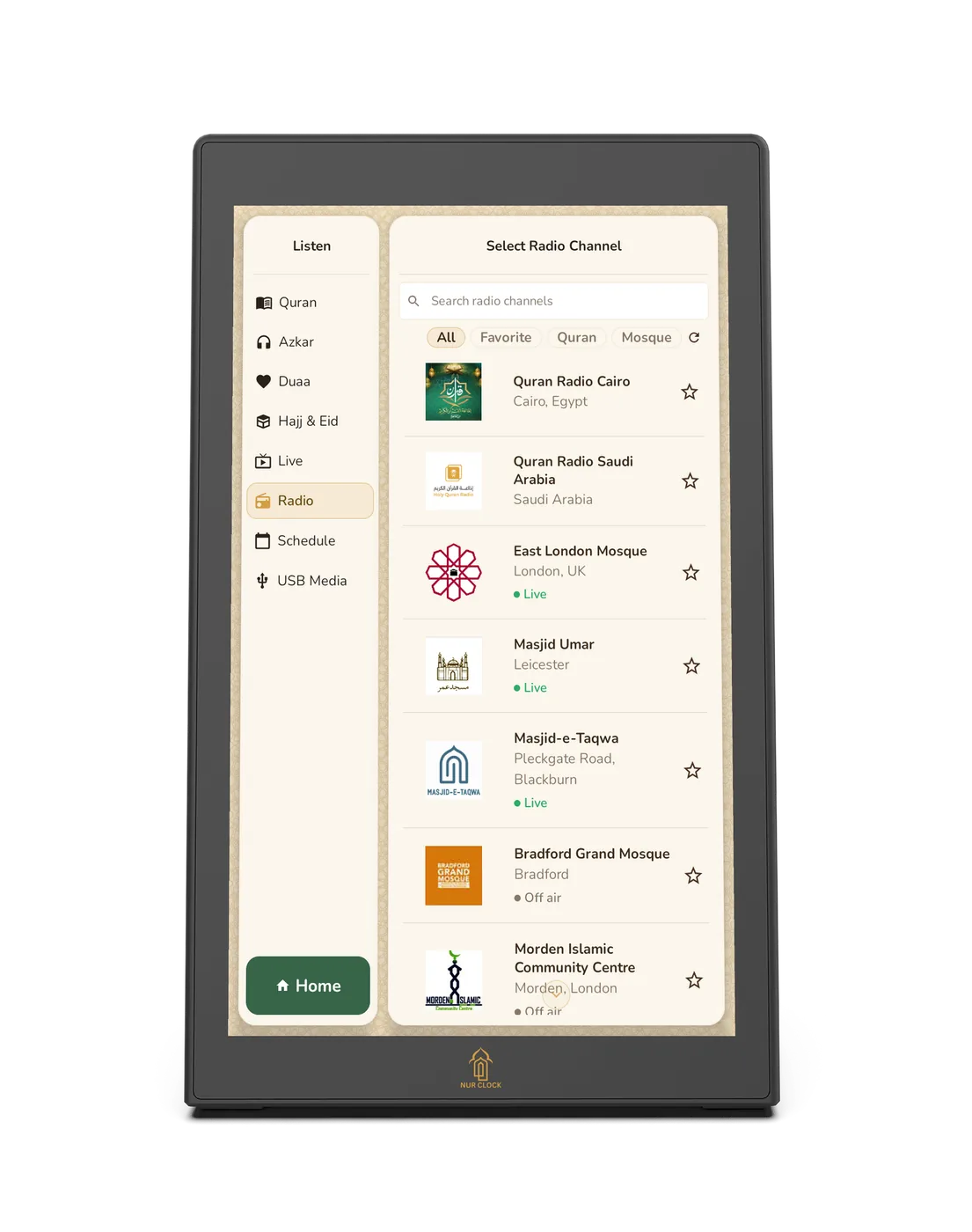
Live from Makkah, Madinah and UK mosques. Watch Masjid al-Haram and Masjid an-Nabawi live, or tune in to Quran radio and your local mosque.
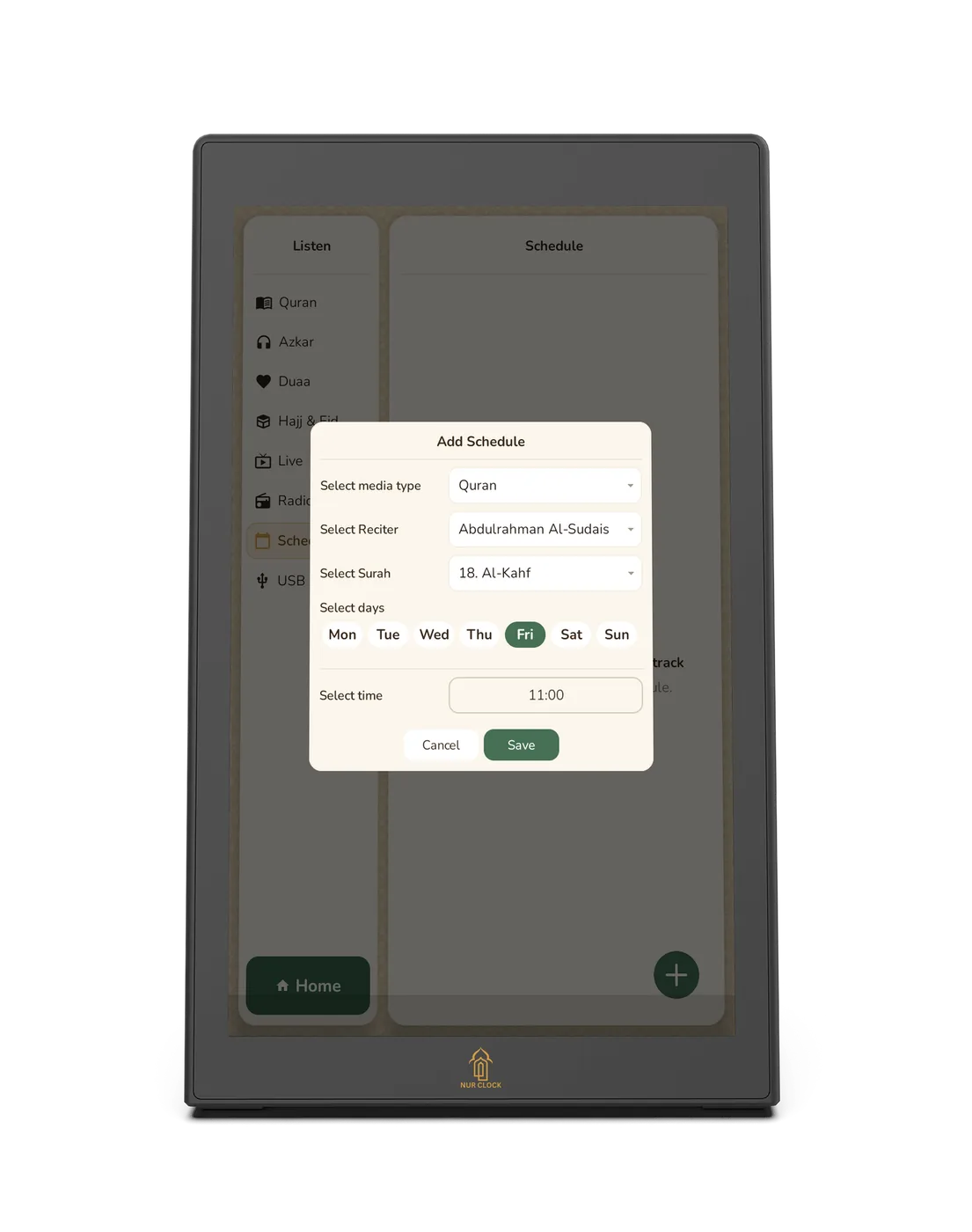
Al-Kahf, every Friday. Schedule Quran or Azkar to play by itself at the times and days you choose.
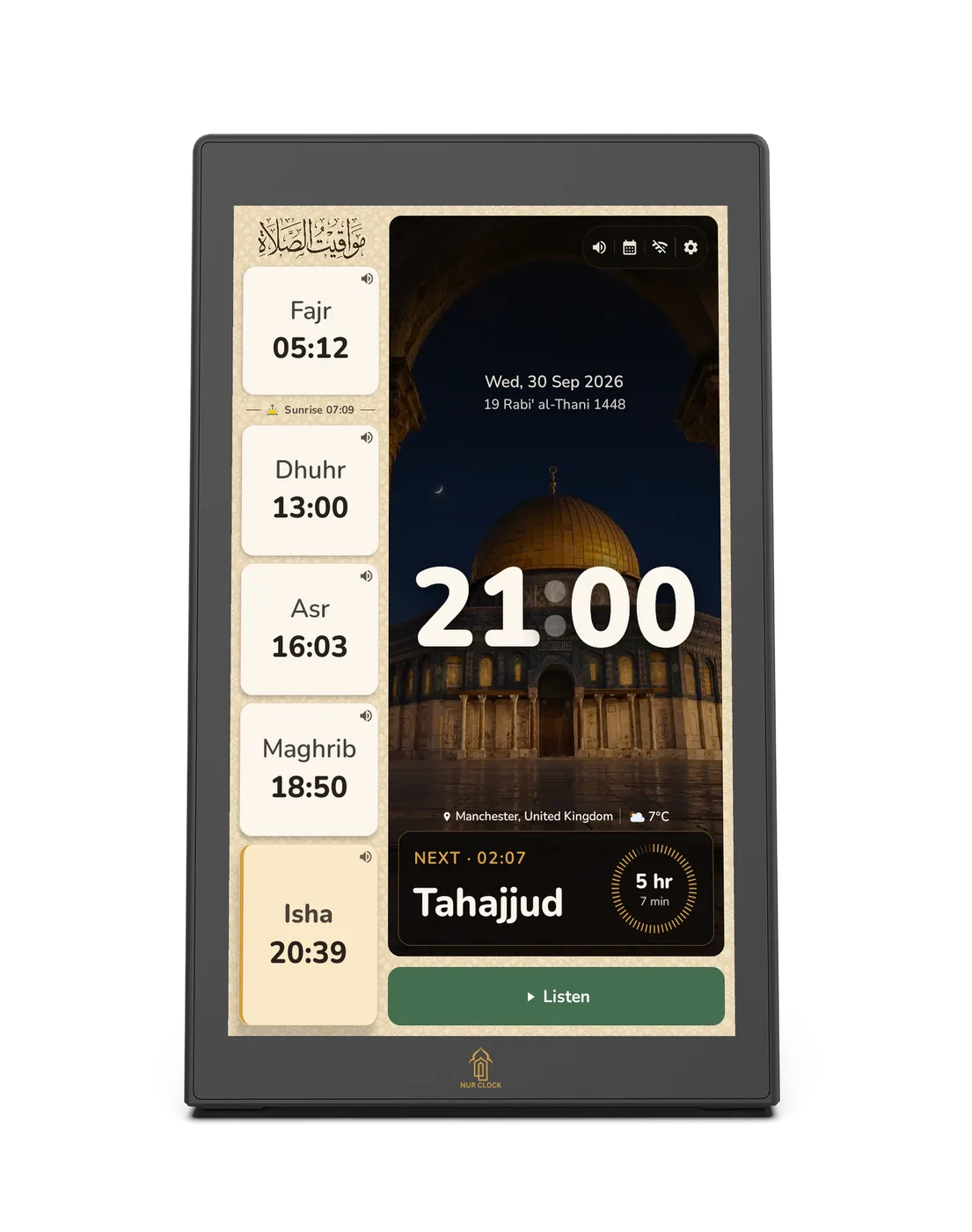
Calm through the night. Night mode dims the screen after Isha and brings it back just before Fajr.
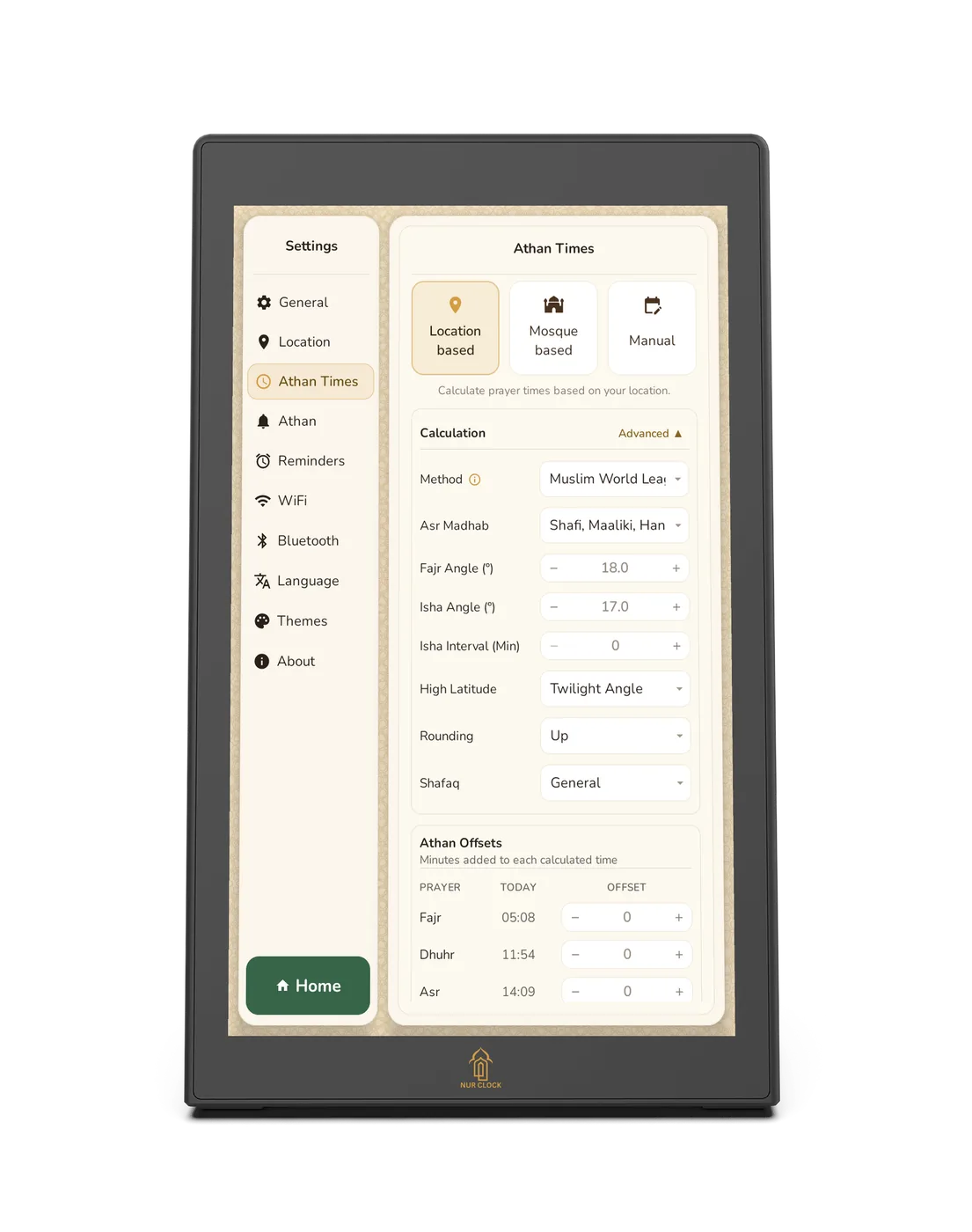
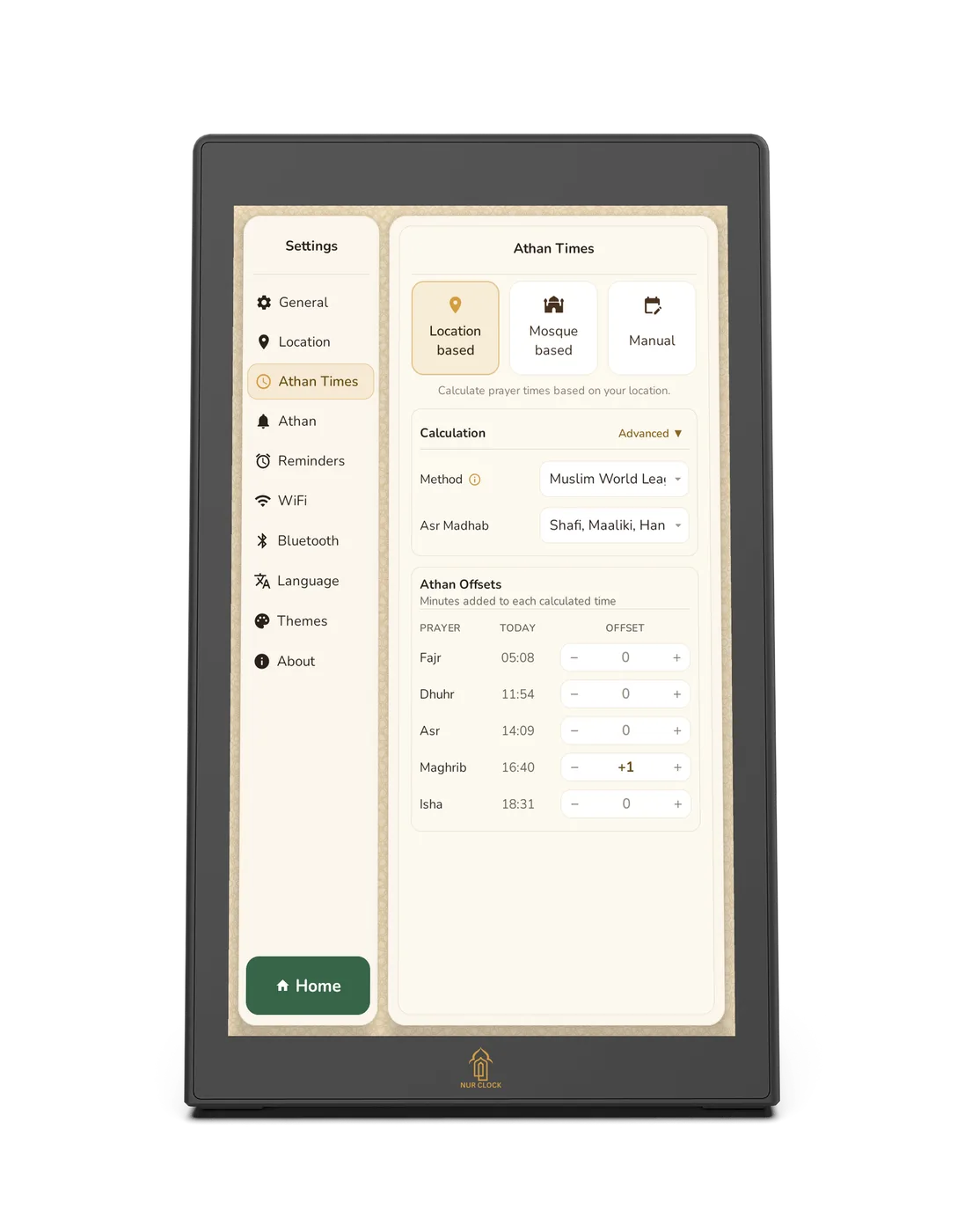
Set to match your mosque. 11 calculation methods, Hanafi or Shafi‘i Asr, and minute-by-minute adjustments, or import your mosque’s timetable from your phone.
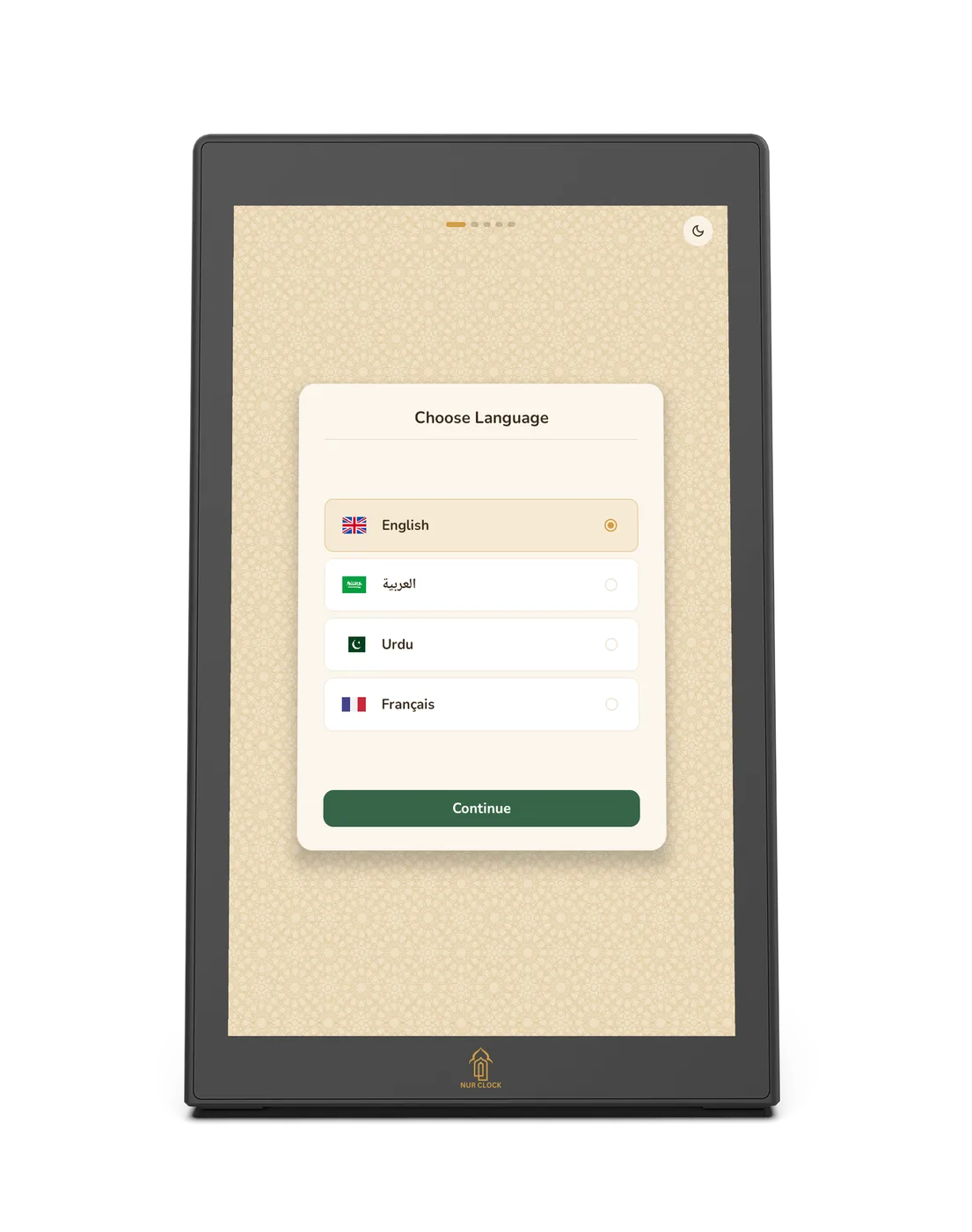
Speaks your language. Set up and use Nur Clock in English, Arabic, Urdu or French.
Swipe for more

Every morning
Wake to the Athan, gently.
The call to prayer fills the room at the right moment, every day, while the screen glows softly in the dark.
Prayer times and Athan
On time.
Every time.
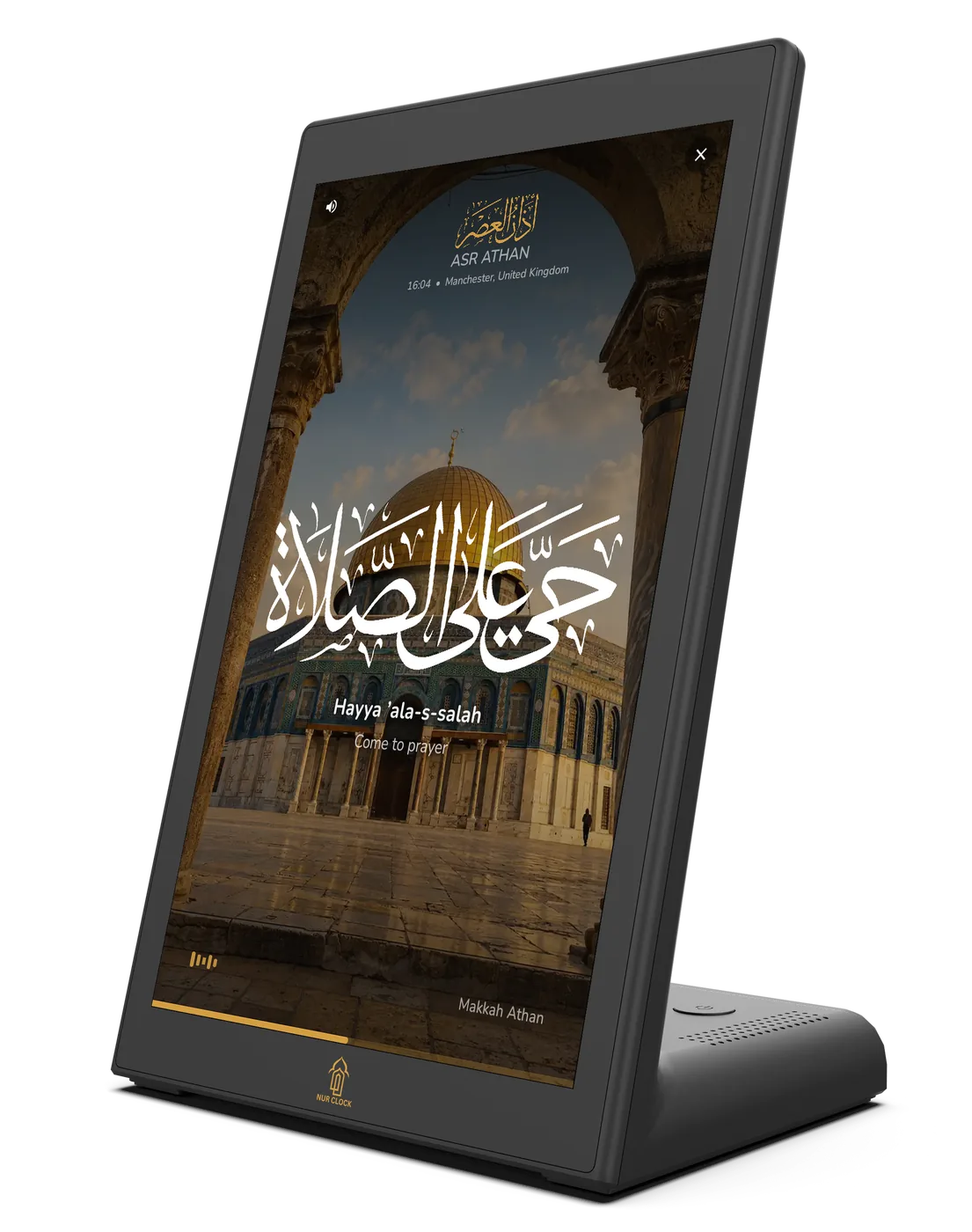
Nur Clock works out the five daily prayers for where you live, fully offline, and calls the Athan at each one, with calligraphy that moves in time with the words.
All five prayers, at a glance
The day’s prayer times and sunrise sit on the clock face, with the next prayer counting down.
11 calculation methods
Muslim World League, Umm Al-Qura, North America and more, with Hanafi or Shafi‘i Asr and high-latitude options.
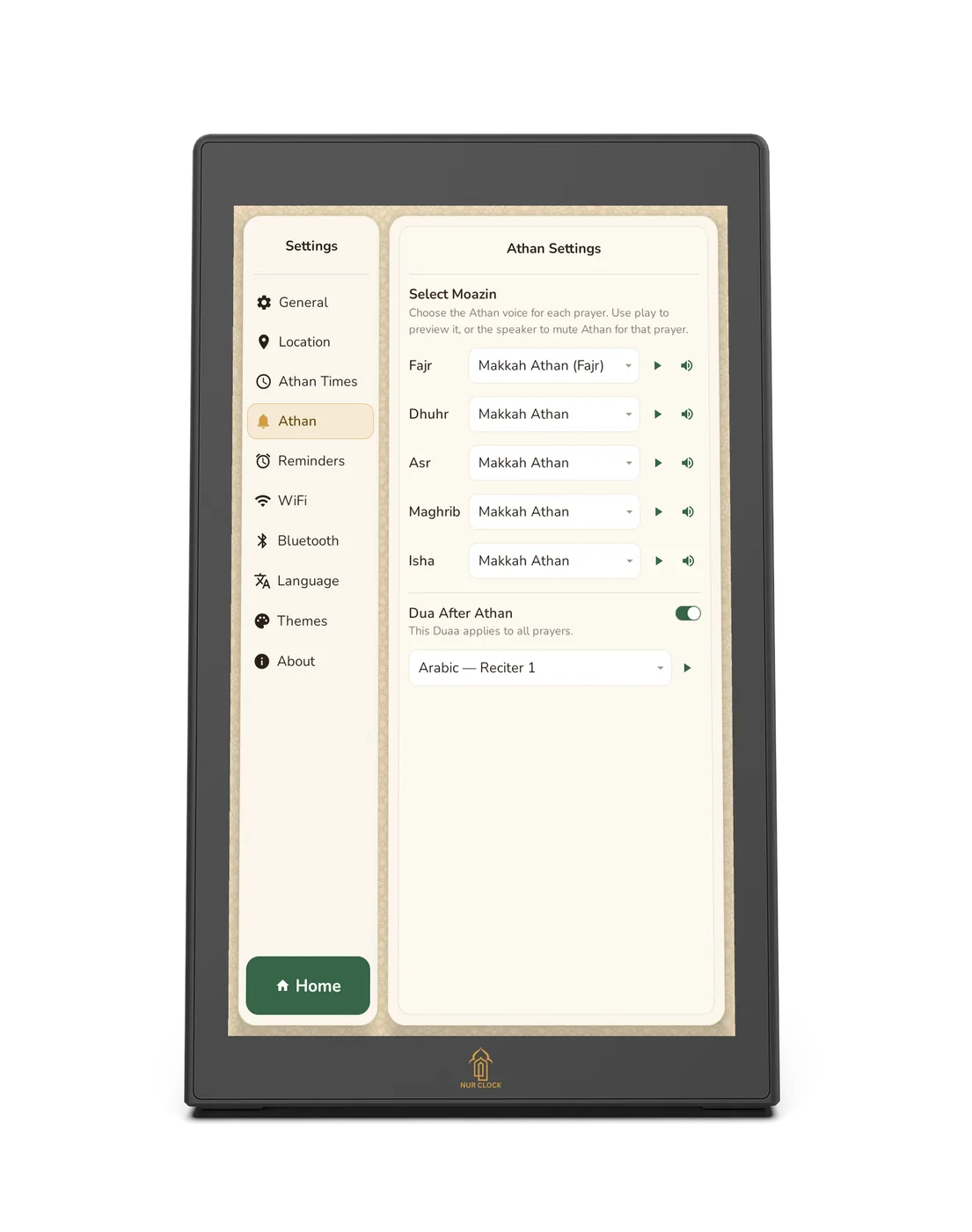
13 Athan voices
Choose a muezzin for each prayer, from Makkah, Madinah and Al-Aqsa, with dedicated Fajr recordings. Add your own by USB.
The whole month, at a glance
A monthly timetable with Hijri dates for every day, so you can plan ahead.
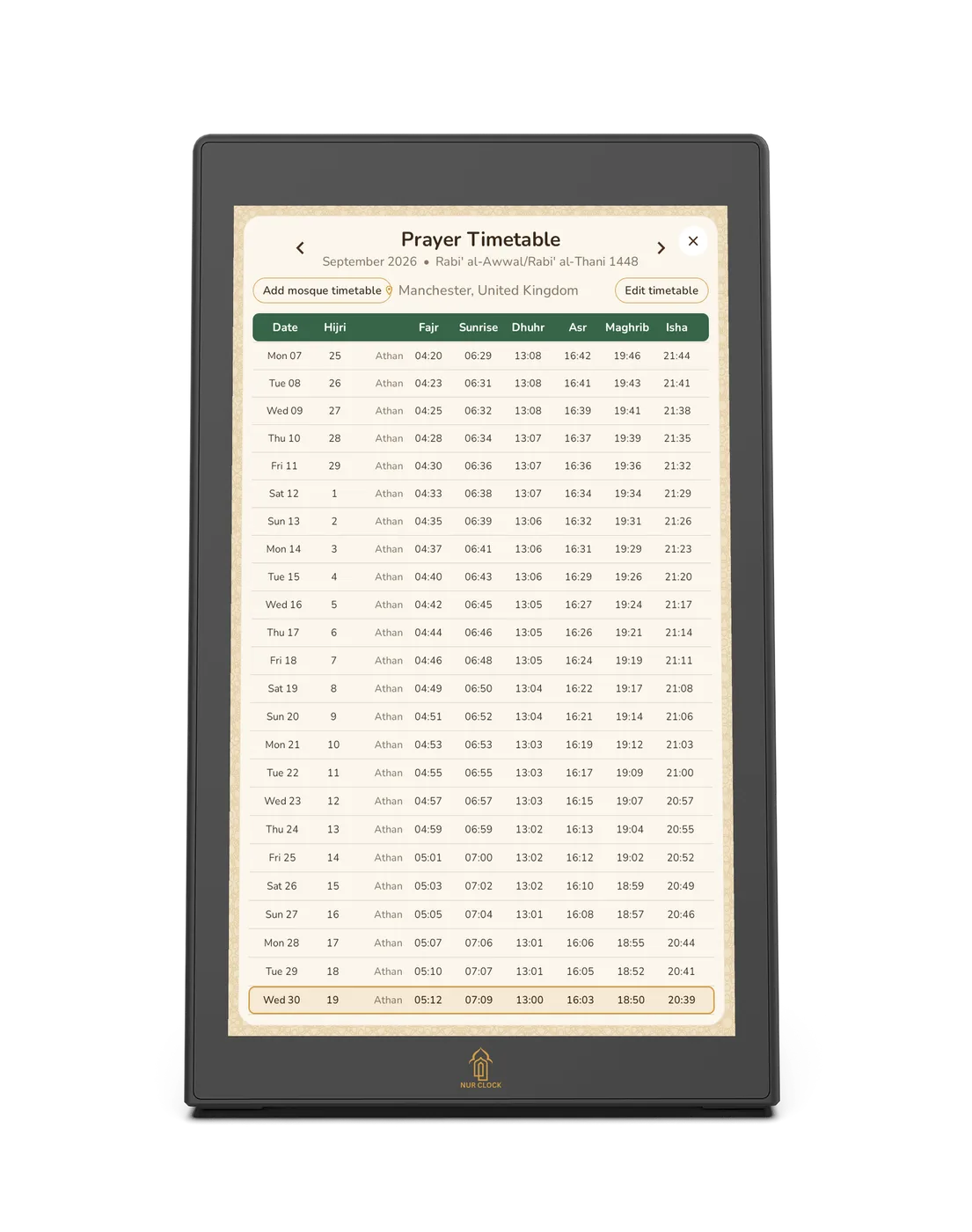
Matched to your location or mosque
Times are worked out for where you live. Move any prayer earlier or later by the minute, or add your mosque’s timetable from your phone.
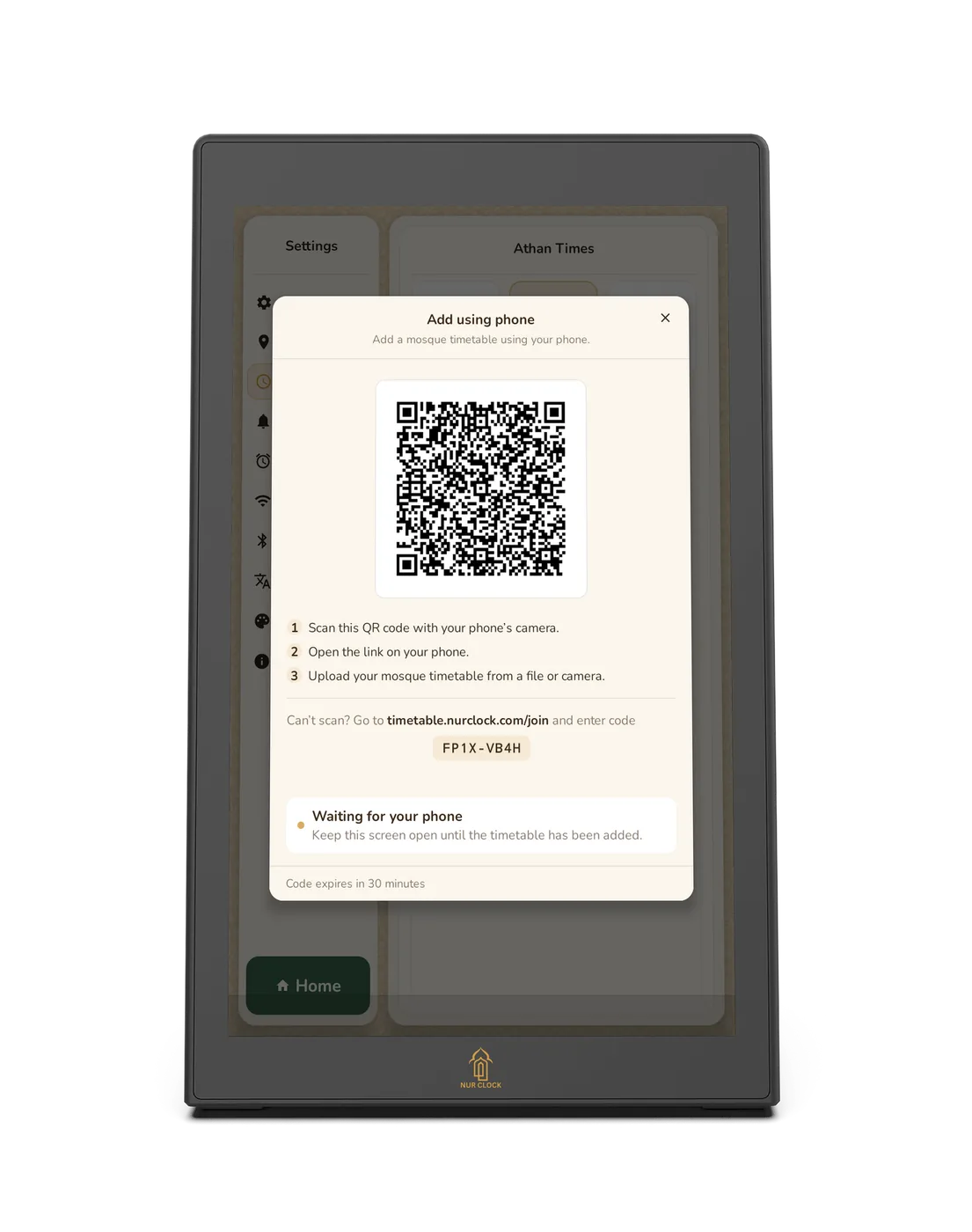
Your mosque
Your mosque’s timetable, on your clock.
If your mosque publishes its own monthly times, add them from your phone. Nur Clock then shows the Athan and Iqamah times for every prayer.
- Scan the QR code on the clock with your phone’s camera.
- Open the link on your phone.
- Upload the timetable from a file or take a photo of it.
Prefer calculated times? Choose from 11 methods and adjust any prayer by the minute.
الصَّلَاةُ نُورٌ
“Prayer is light.” — The Prophet Muhammad ﷺ, Sahih Muslim 223
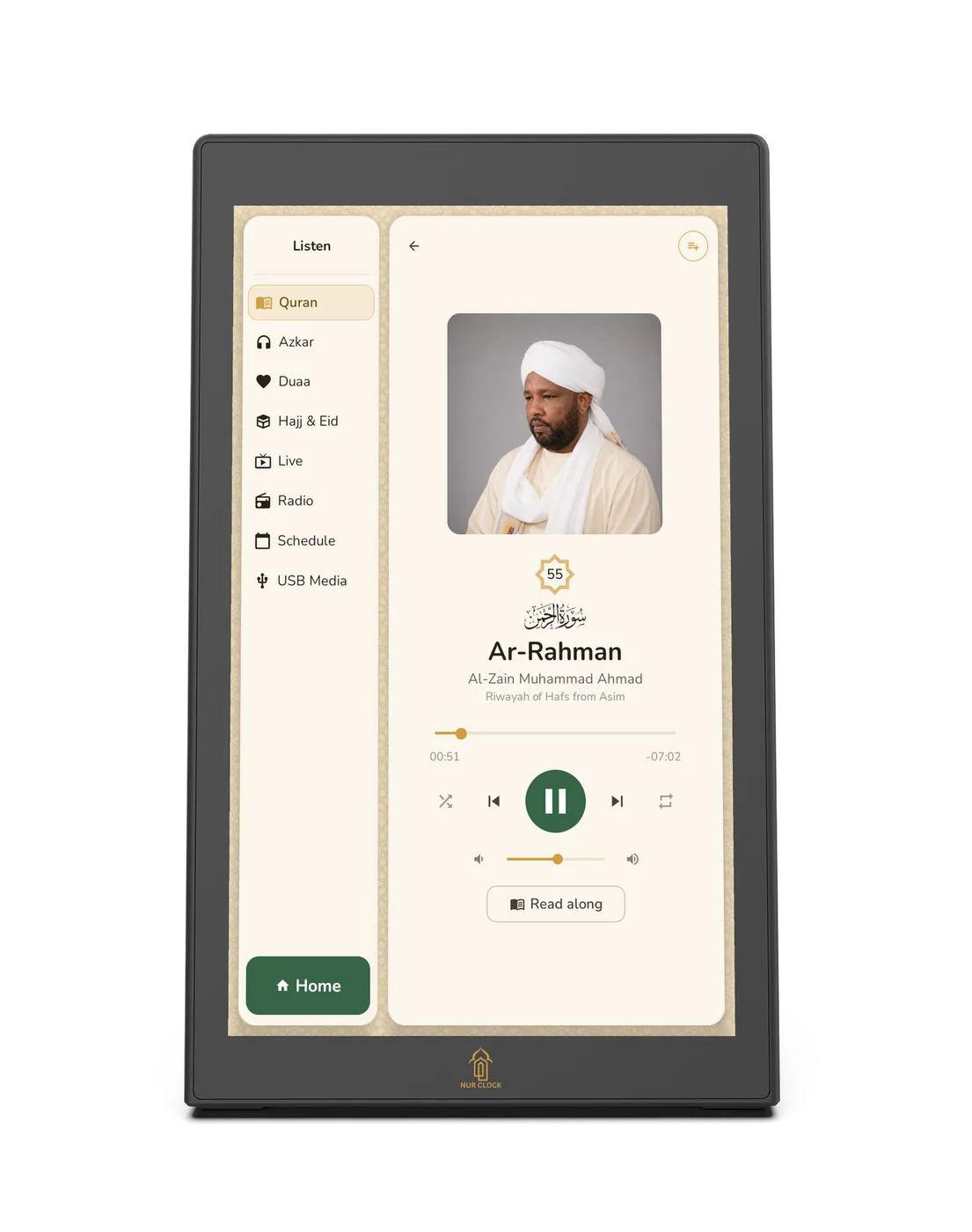
Quran, Azkar and Duas
Recitation and remembrance, through the day.
Quran
The full Quran from a wide and growing choice of renowned reciters. Read along as you listen: the Arabic text follows the recitation verse by verse, with an English translation. A selection of reciters is ready to play without Wi-Fi; the full collection streams over Wi-Fi.
Azkar
Morning and evening Azkar, Azkar before sleep and Ruqyah, recited by Mishary Alafasy.
Duas, Hajj and Eid
Qunoot and Khatm al-Quran duas, plus the Talbiyah and Eid Takbeer for the blessed days.
Clock themes
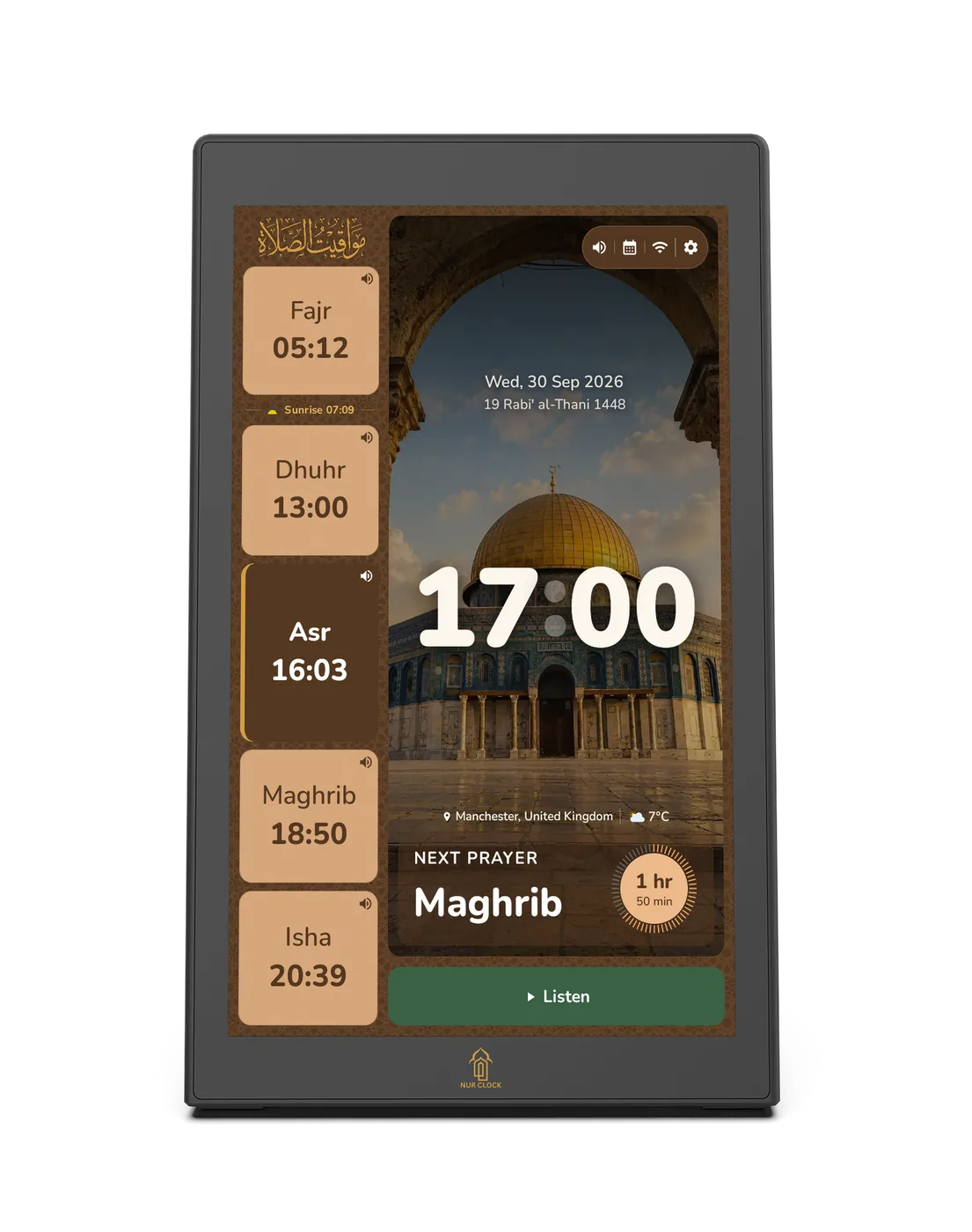
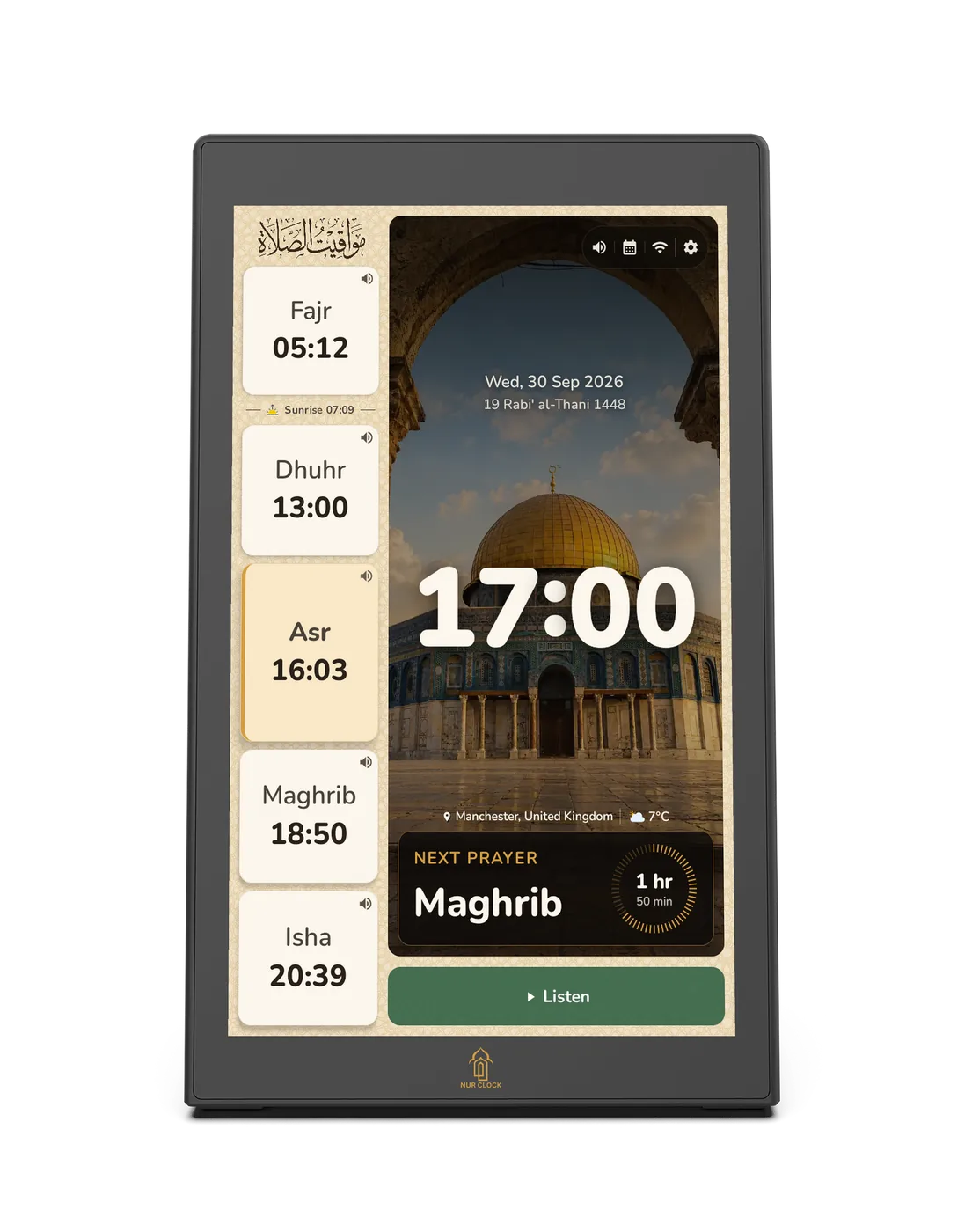
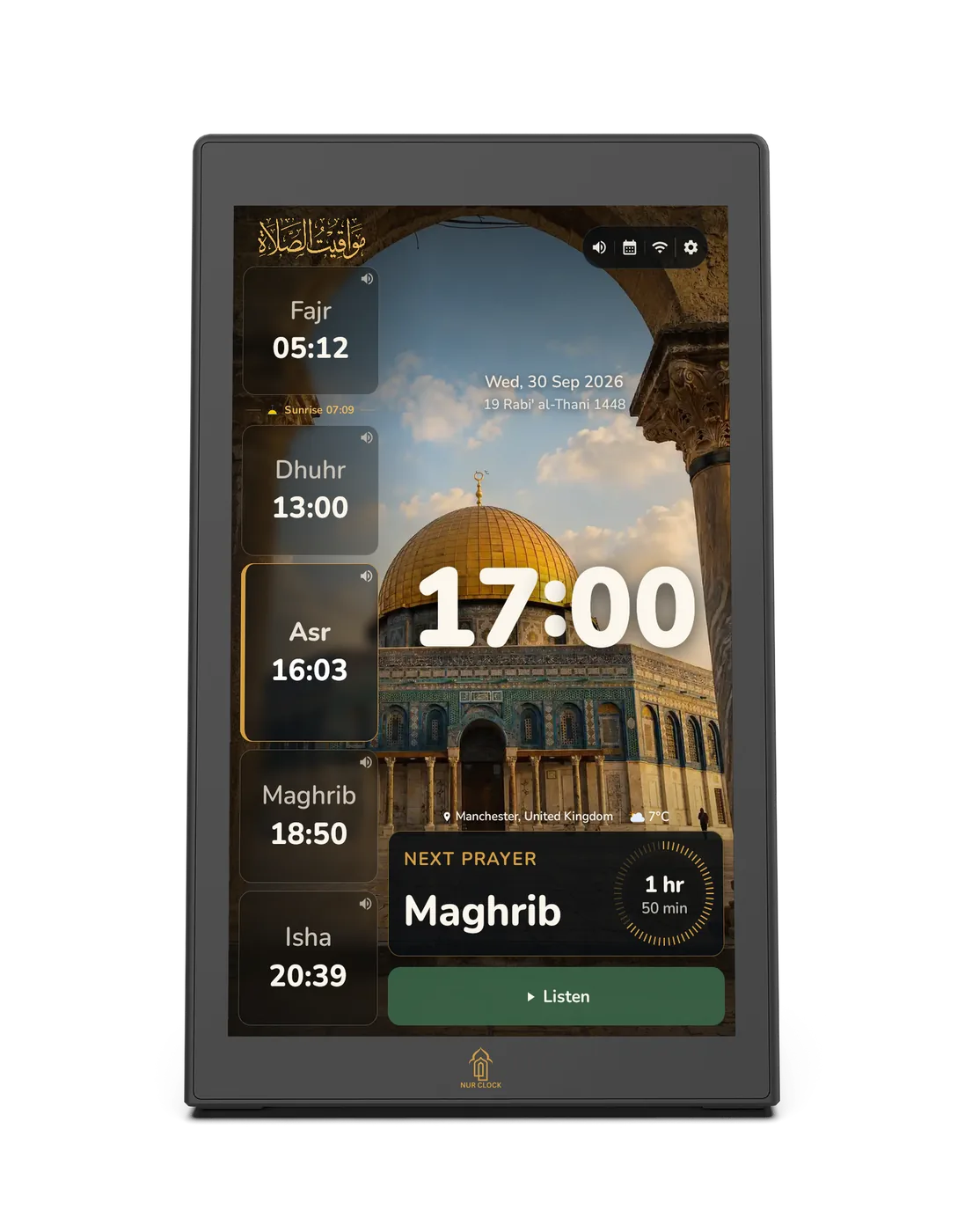
Three faces of time.
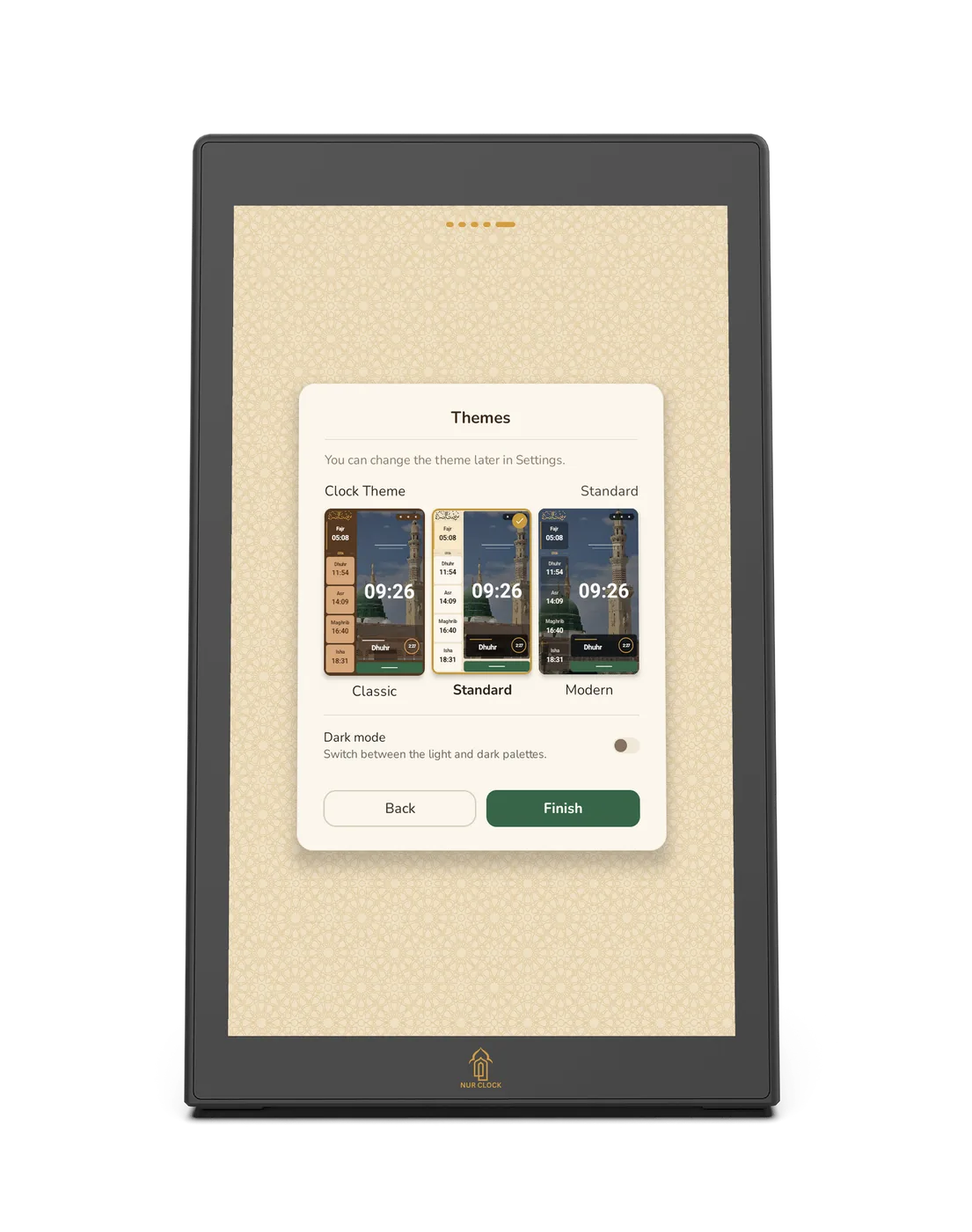
Classic in warm browns and greens, Standard in light or dark, Modern in frosted glass. Six backgrounds, which can change with the time of day.
Reminders and scheduling
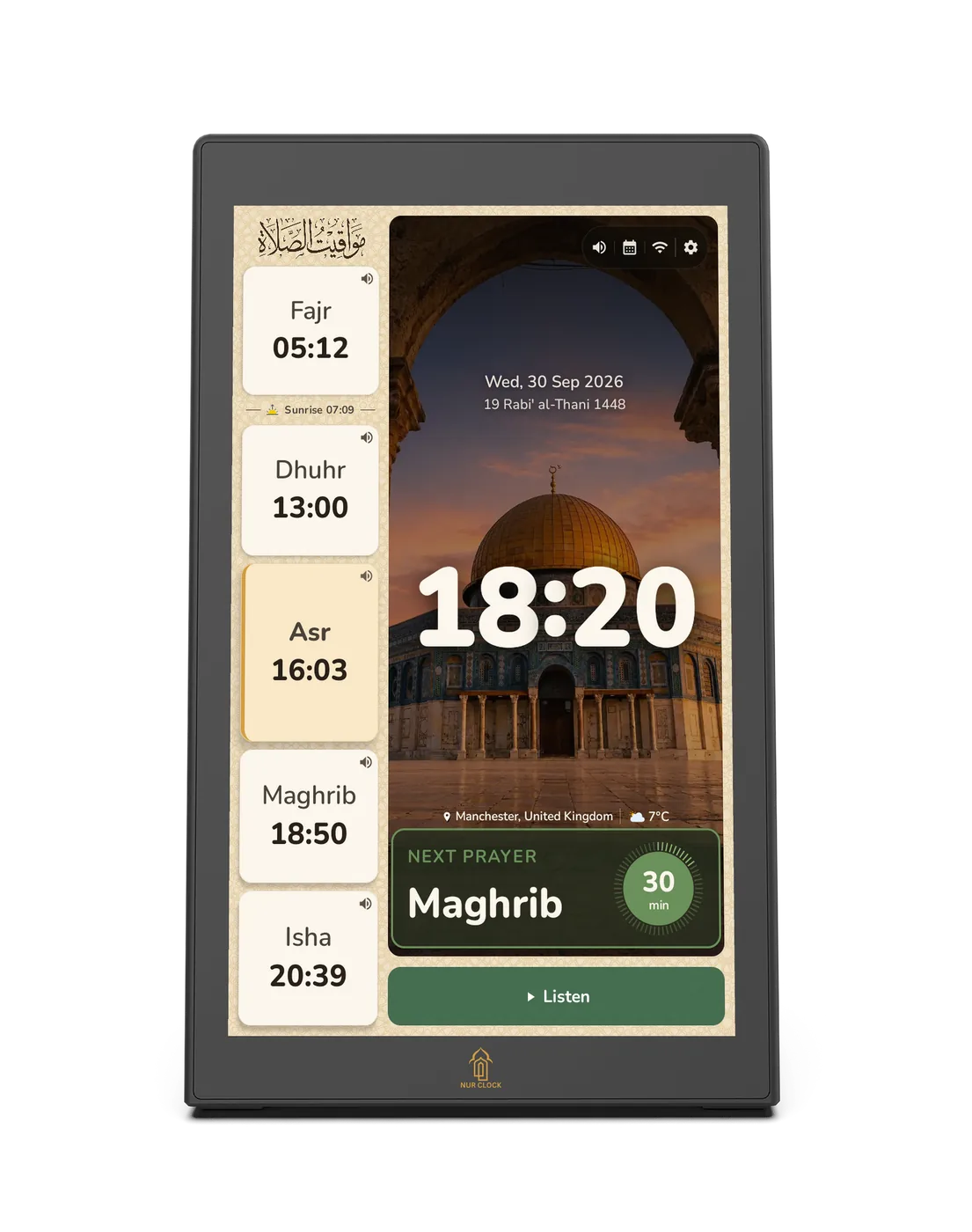
Gentle reminders, around the clock.
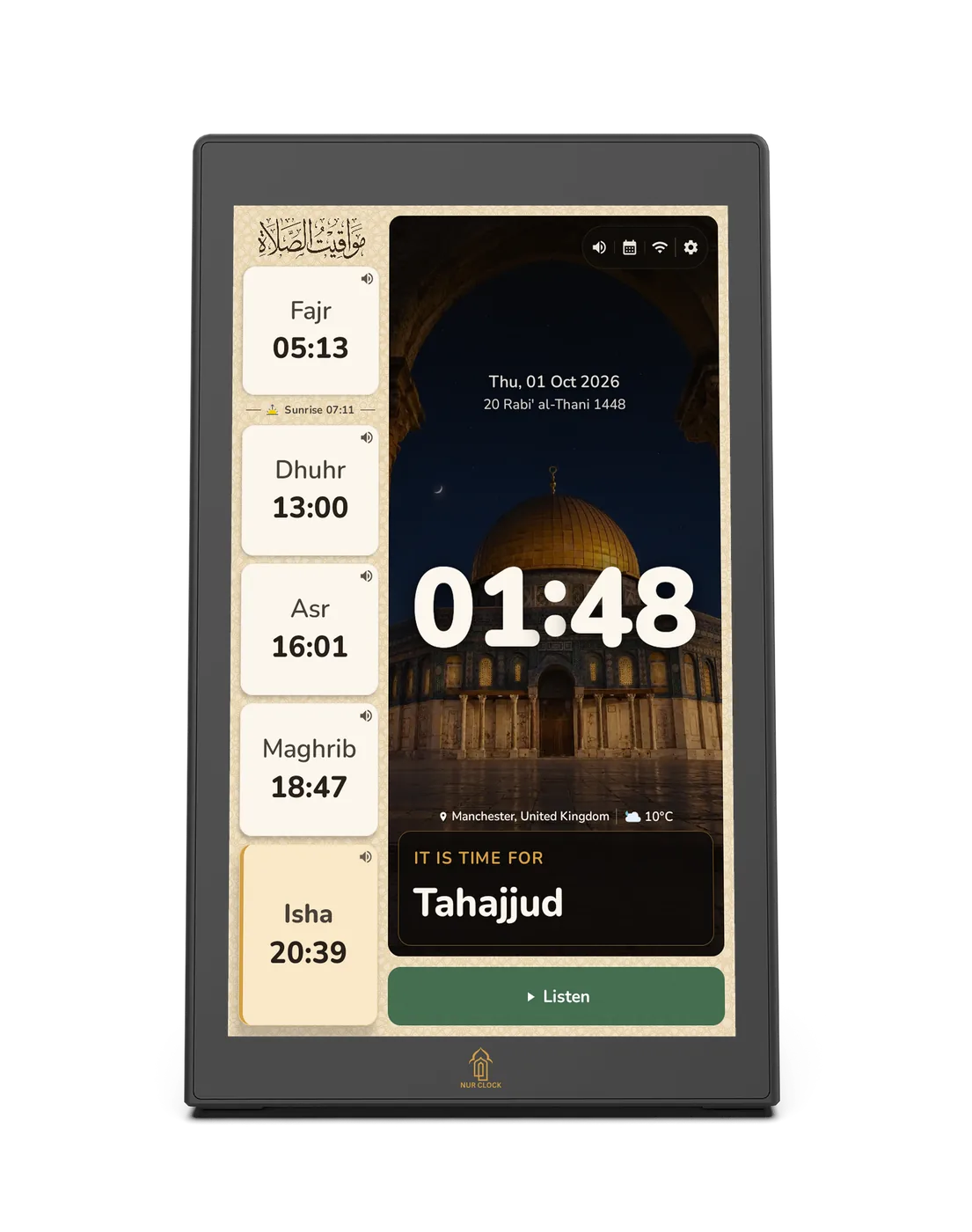
A quiet alert before each prayer, and prompts for Tahajjud in the last third of the night and Duha after sunrise. They appear on the clock face, with an optional sound, and move with the prayer times through the year.
- 01:48TahajjudLast third of the night
- 04:42Prayer reminder30 min before each Athan
- 05:12Fajr
- 07:24Duha15 min after sunrise
- 11:00Surah Al-KahfScheduled, Fridays 11:00
- 13:00Dhuhr
- 16:03Asr
- 18:50Maghrib
- 20:39Isha
- 20:44Night modeDims after Isha
Illustrative times for Manchester on 30 September 2026. Reminders display on the clock face while it is on.
Before every prayer
A first alert 30, 10 or 5 minutes ahead and a second closer to the time, with a countdown and an optional chime.
Tahajjud and Duha
Tahajjud at the last third of the night or a set time before Fajr; Duha 15 to 60 minutes after sunrise. Every day, weekdays, weekends or days you pick.
Scheduled listening
Choose a surah and reciter, or Azkar, then the time and days, and it plays by itself.
Closer look
Designed to sit quietly
in your home.
Design
A portrait 10.1-inch screen in a slim black frame, leaning back on its own built-in base. At home on a shelf, sideboard or bedside table.
Display
A 10.1-inch, 800 × 1280 touchscreen, clear enough to read the Quran as it is recited. Adjustable brightness, three clock styles and six backgrounds that can follow the time of day.
Sound
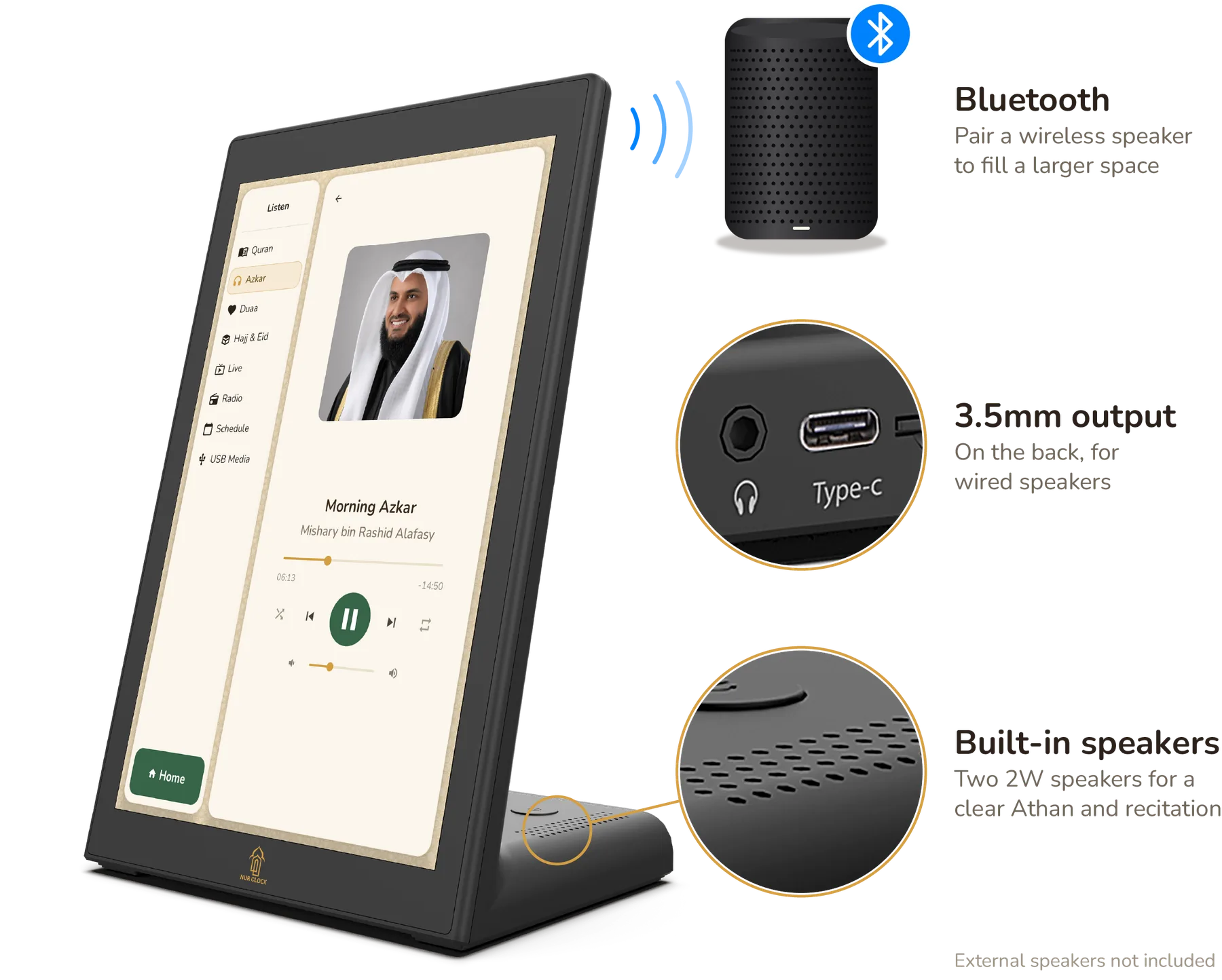
Two built-in 2W speakers for a clear Athan and recitation. Pair a Bluetooth speaker or use the 3.5mm output to fill a larger space.
Connections
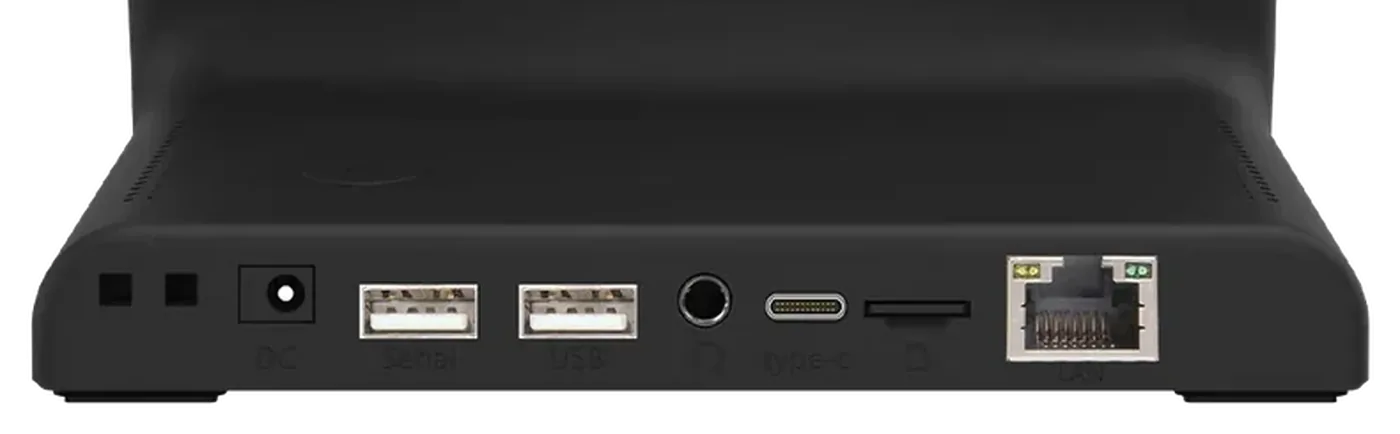
Wi-Fi, Bluetooth and a wired network port. USB for your own audio and extra Athan voices, plus a headphone output.
Display
10.1-inch portrait touchscreen
Finish
Black
Audio
Two 2W speakers, Bluetooth, headphone output
Connectivity
Wi-Fi, Bluetooth, wired network, USB
Power
12V 1.5A adapter, 100–240V
Dimensions
247 × 160.2 × 114 mm (H × W × D)
Weight
730 g
In the box
Nur Clock, power adapter with UK, EU and US plugs, user manual
Easy setup
Out of the box and on time, in five steps.
Plug it in and follow the screen. Wi-Fi is optional, and every choice can be changed later.
Choose your language
English, العربية, اردو or Français. You can switch at any time.
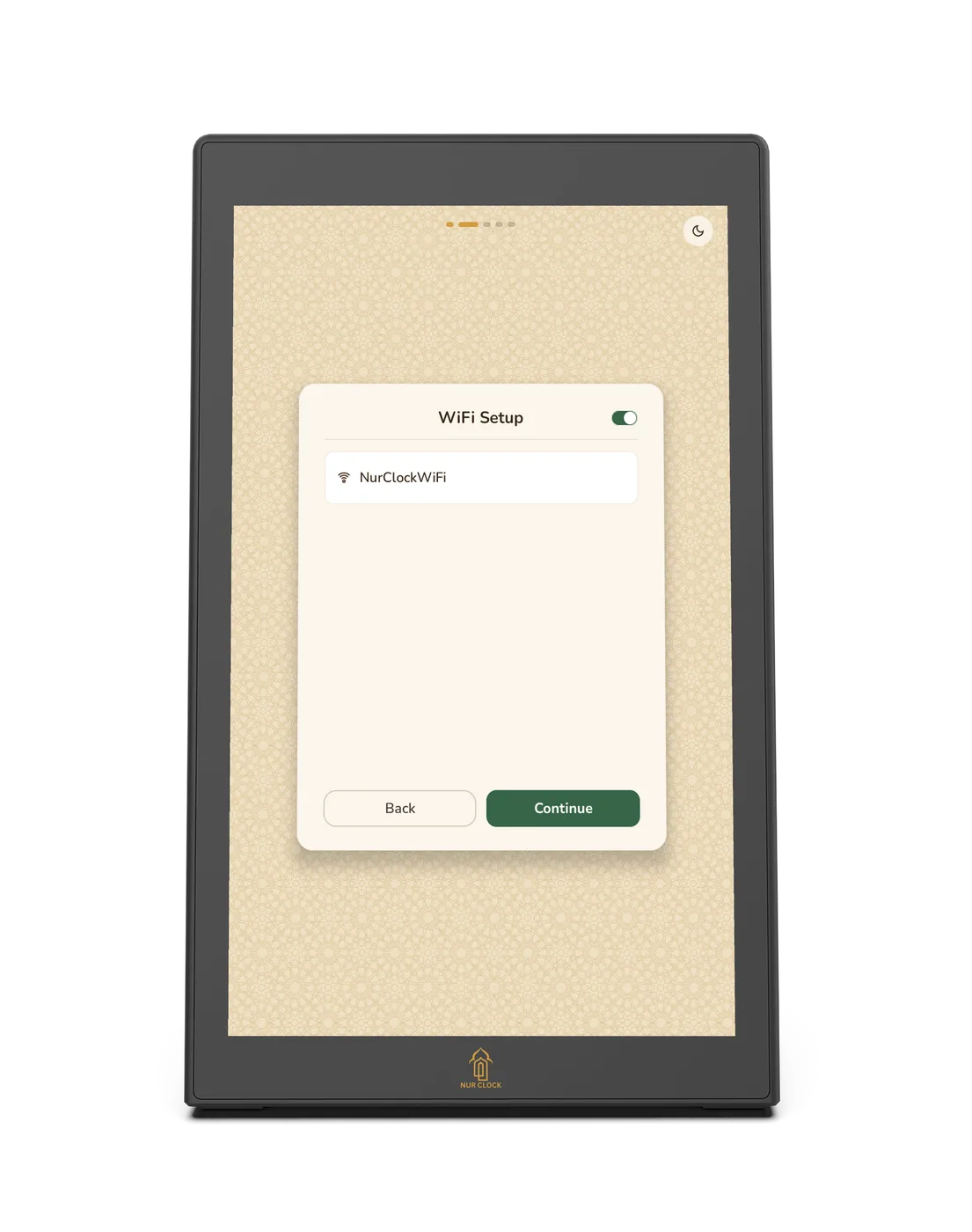
Connect to Wi-Fi, or skip
Wi-Fi adds the full reciter collection, live streams, radio and software updates. Skip it and prayer times, Athan, reminders and pre-loaded reciters still work.
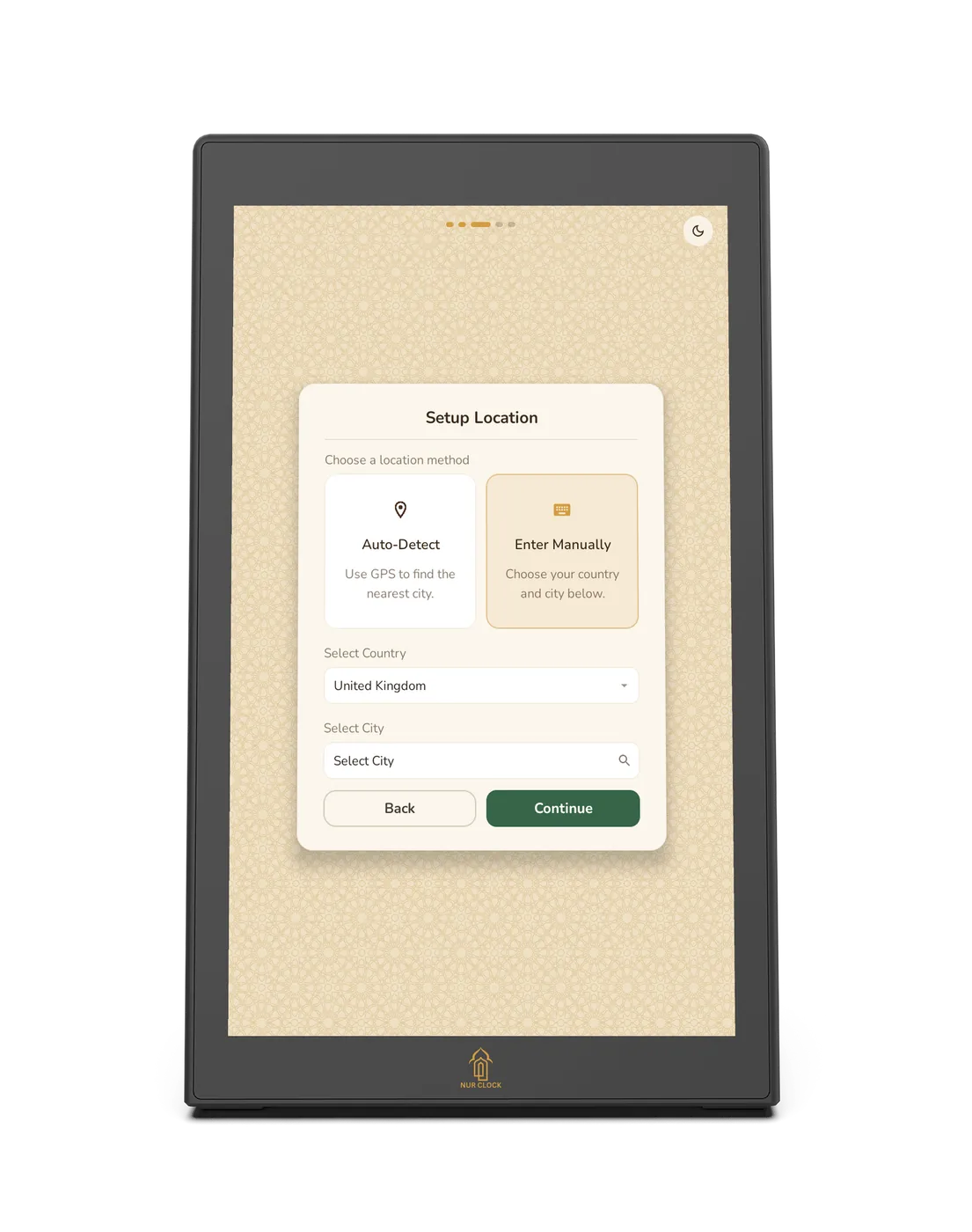
Set your location
Detect it automatically or choose your city from the built-in list. Prayer times and your time zone are set for you.
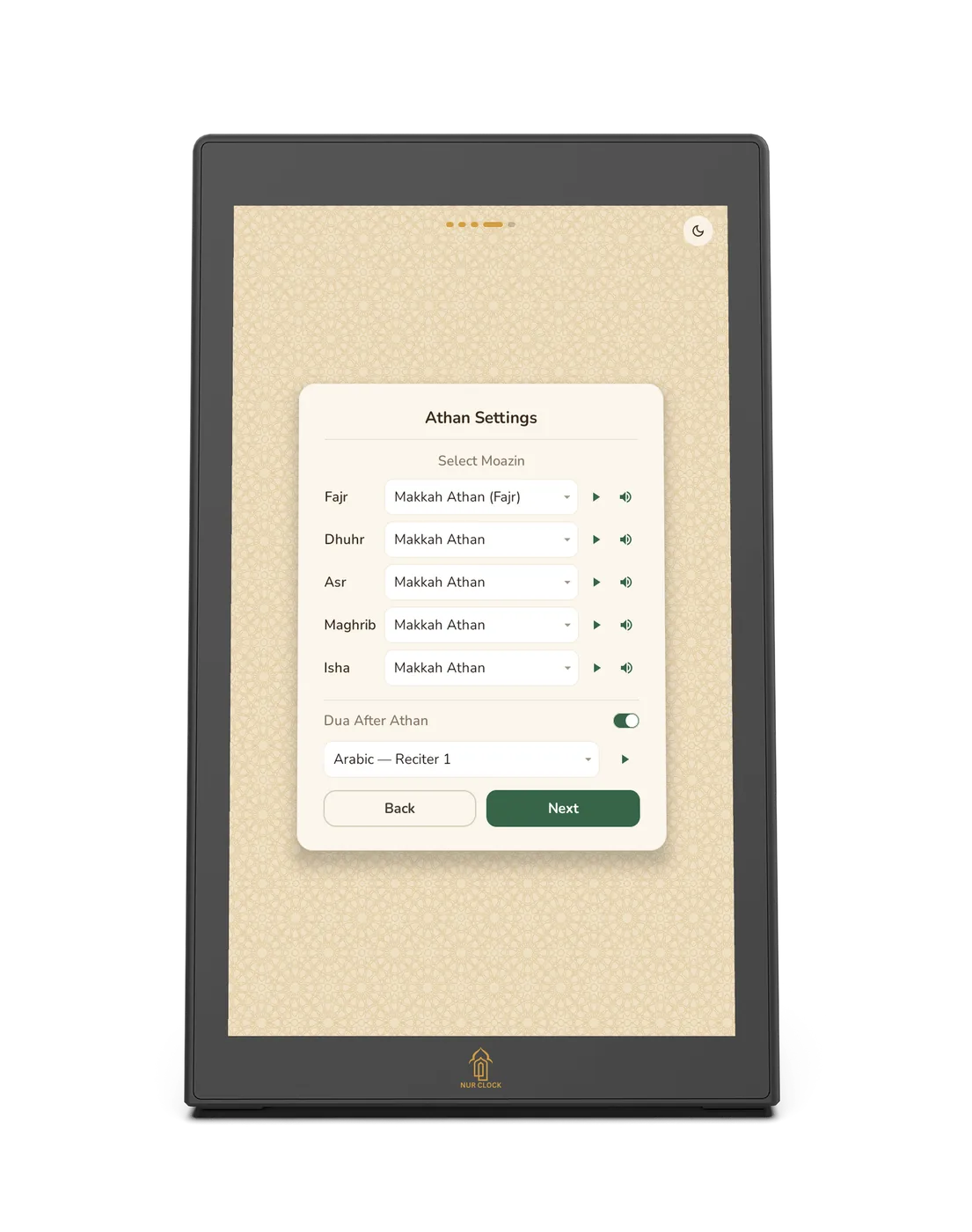
Choose your Athan
Pick a muezzin for each of the five prayers, with dedicated recordings for Fajr.
Pick a clock style
Classic, Standard or Modern, with a background to suit your room.
From Nur Clock owners
In their words.
“The packaging is amazing and includes every type of plug you could possibly need. The setup was super smooth, all is needed is the Wifi and the location.”
Verified purchase on Amazon · United Kingdom · October 2025
“It looks elegant, is easy to use, and the athan is accurate for prayer times. The sound is clear… highly recommended.”
Verified purchase on Amazon · United Kingdom · May 2026
“It has transformed the environment in my house. It is nice to hear the Azan 5 times a day specially for kids… Now I have one upstairs and one downstairs.”
Verified purchase on Amazon · United Kingdom · August 2025
“Really intuitive to use and handsome simple design… Also a welcome privacy feature in allowing it to work fully offline with no sign up account needed.”
Verified purchase on Amazon · United Kingdom · August 2025

Made by a small UK team.
We design, build and support every Nur Clock ourselves, because technology should serve worship, not compete with it.
Coming soon
Join the waitlist and we’ll email you the moment Nur Clock is ready to order. No commitment.
Works offline
Prayer times, Athan, reminders and pre-loaded reciters need no internet. Wi-Fi adds the full reciter collection, live streams and radio.
Private by design
No account, no sign-up and no subscription. Nur Clock works fully offline, so it never needs to know who you are.
Software updates
Check for updates in Settings. Every download is verified before it installs.
Questions, answered.
How are prayer times worked out for my location?
Choose your country and city from the built-in list, which works offline, or detect your location automatically. Nur Clock then calculates each day’s prayers on the device using the method you select, and sets your time zone for you.
Can I use my mosque’s own timetable?
Yes. Scan the QR code on the clock with your phone’s camera, open the link, then upload your mosque’s monthly timetable from a file or take a photo of it. Nur Clock then shows the Athan and Iqamah times for every prayer.
Does Nur Clock need Wi-Fi?
No. Prayer times, the Athan, reminders and pre-loaded reciters all work without it. Wi-Fi adds the full reciter collection, live streams, radio and software updates.
Is there a subscription or an account to create?
No. There’s no subscription, no account and no sign-up. Everything on the clock is included, and because it works fully offline, you can use Nur Clock without ever giving us your details.
Can I use a different Athan for Fajr?
Yes. You choose a muezzin for each of the five prayers, and there are dedicated recordings for Fajr.
How do I schedule Quran recitation?
Open Listen, then Schedule. Choose a surah and reciter, or Azkar, then the time and the days, and it plays by itself.
Can I add my own Athan or audio?
Yes. Plug in a USB drive to add Athan voices or to play your own audio files.
How do I get help if something isn’t working?
Visit Support for guides and manuals, or email support@nurclock.com and the team that makes Nur Clock will reply.

New children’s book
Bilal and the First Call to Prayer.
Created by Nur Clock to introduce young readers to the beauty of the Athan, it tells the inspiring story of Bilal ibn Rabah (RA), the first Mu’adhin.
Through warm storytelling and peaceful illustrations, it brings the history of the Athan to life and encourages faith, courage, kindness and a lasting love for the call to prayer.
Ages 3–9
Bring Nur home.
Coming soon. Join the waitlist and we’ll email you the moment it’s ready to order.