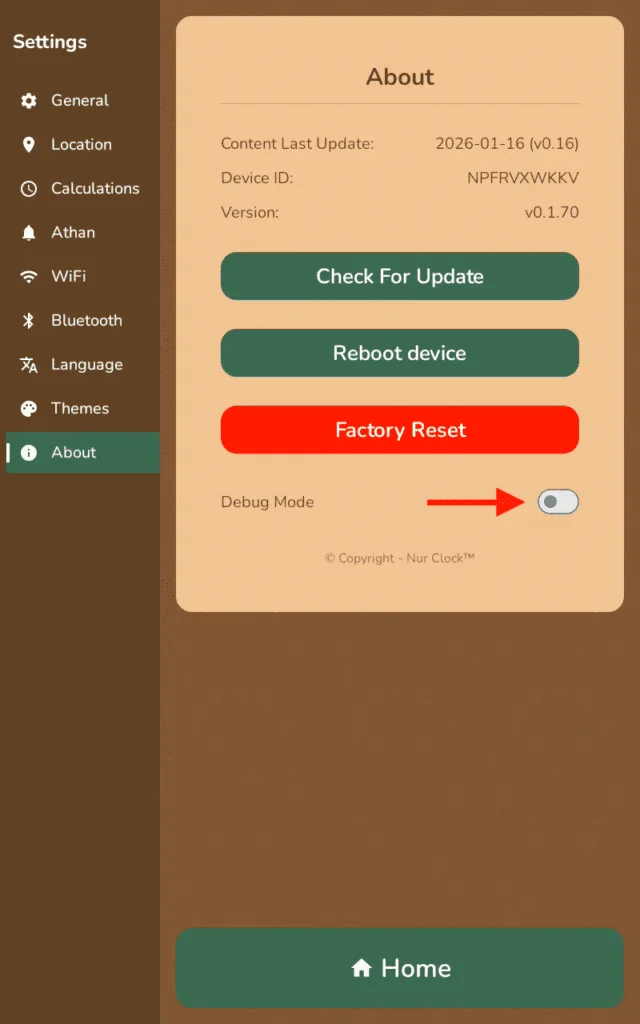
Open Settings.
Go to About.
Tap Check For Update. If an update is available, follow the on-screen instructions to install it.
After the update, the hissing sound should be gone.


Earlier models
On some earlier Nur Clocks you may hear a low hiss from the speaker, more noticeable through external speakers. Software version v0.2.88 fixes it.
Nur Clock 8-inch and 10-inch (1st generation)Settings → About
Open Settings.
Go to About.
Tap Check For Update. If an update is available, follow the on-screen instructions to install it.
After the update, the hissing sound should be gone.
Updated to v0.2.88 or later and still hear it? Email support@nurclock.com and include your software version (shown on the About screen).
Was this helpful?
Thank you for letting us know.
Sorry about that. Tell us what you were looking for and we’ll help.
Still need help?
Email support@nurclock.com and the team that makes Nur Clock will reply.