

Open Settings → Themes.
Under Clock Theme, choose Classic, Standard or Modern.

For Standard, use Dark mode to switch between the light and dark palettes. Classic and Modern have their own fixed colours.
Under Background, keep Background image on and choose one of the six pictures, or turn it off for a plain clock face.
Turn on Dynamic Background to change the picture automatically as each prayer time begins.
Reminders and display
Changing the clock style and background
Three clock styles and six backgrounds, which can change through the day.
Nur Clock, 2nd generationSettings → Themes
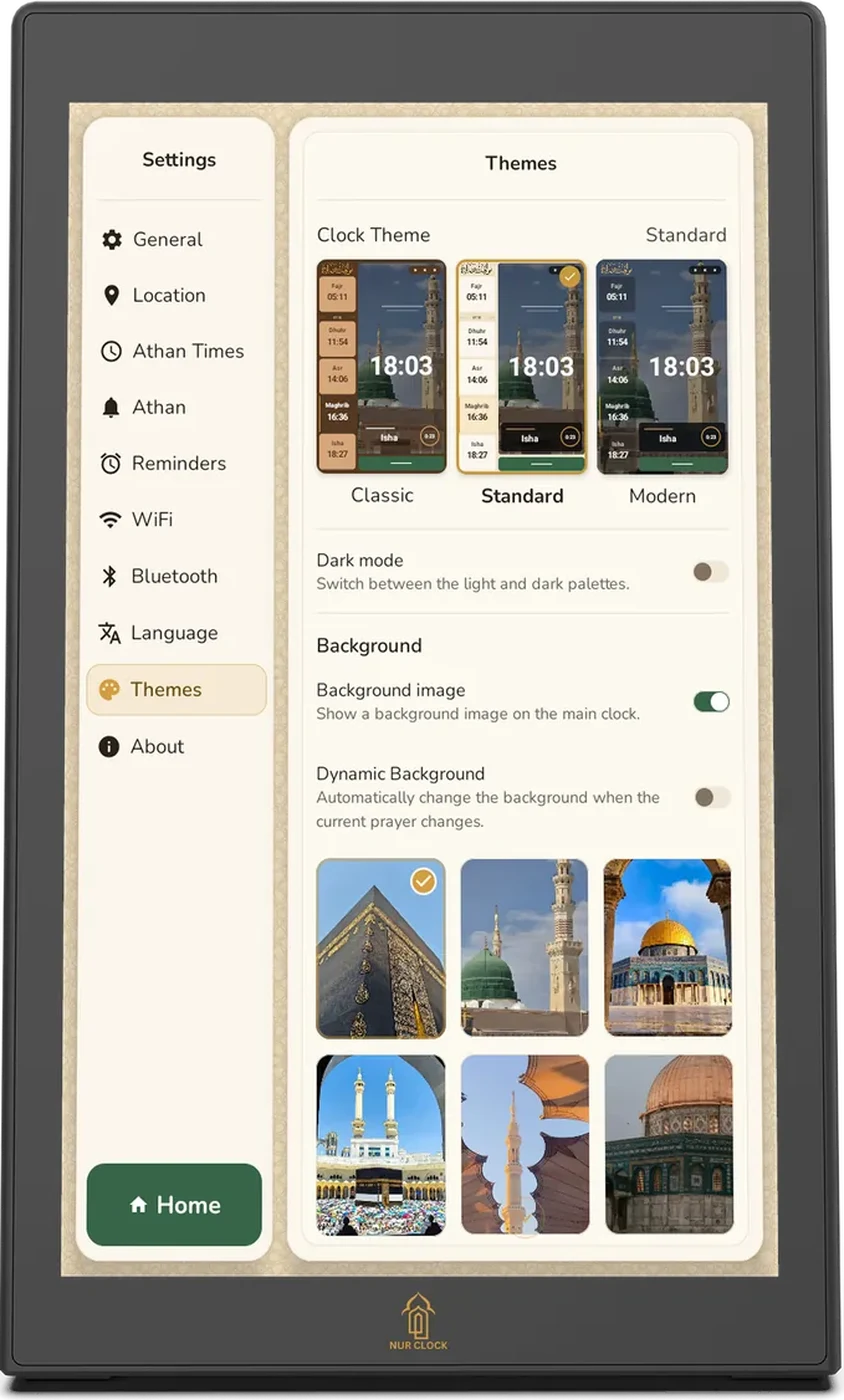
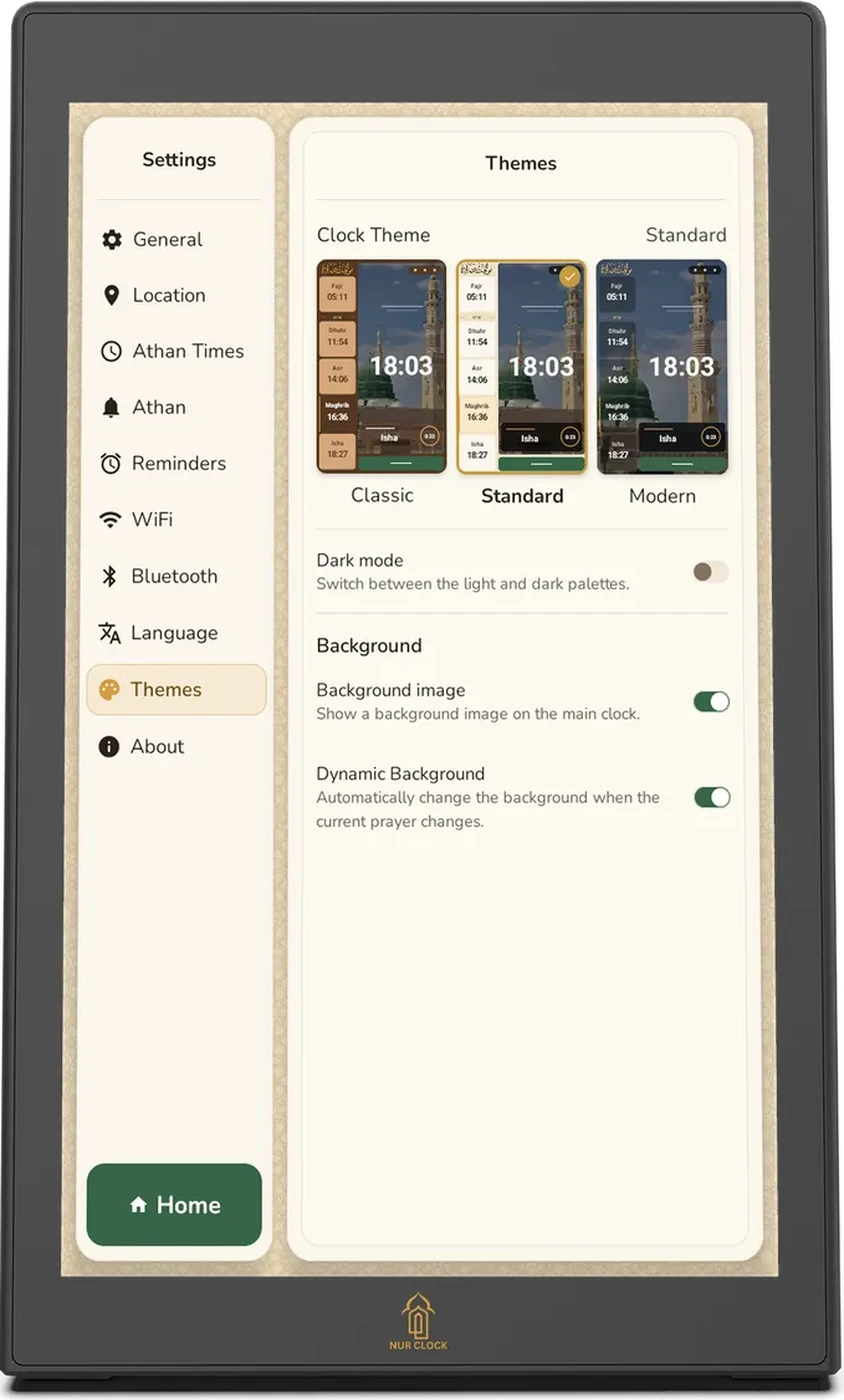
The same background looks different in each style: framed in Classic and Standard, full-screen and softly blurred in Modern.
Was this helpful?
Thank you for letting us know.
Sorry about that. Tell us what you were looking for and we’ll help.
Related articles
Still need help?
Email support@nurclock.com and the team that makes Nur Clock will reply.