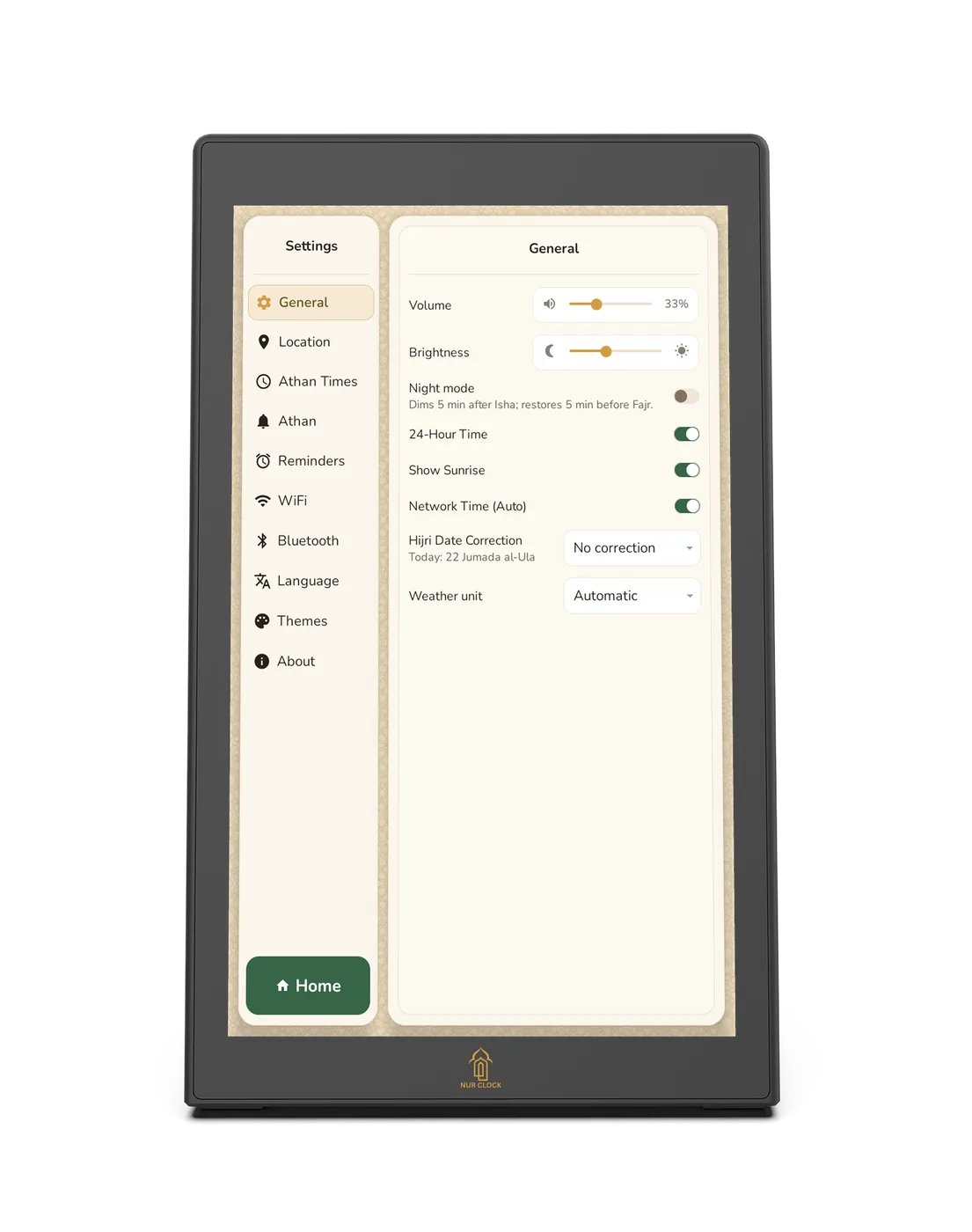
Open Settings → General.
Use the Brightness slider to set the screen from dim to bright.
Turn on Night mode. It dims the screen 5 minutes after Isha and restores it 5 minutes before Fajr.


Reminders and display
Keep the screen calm at night, and set the brightness you like during the day.
Nur Clock, 2nd generationSettings → General
Open Settings → General.
Use the Brightness slider to set the screen from dim to bright.
Turn on Night mode. It dims the screen 5 minutes after Isha and restores it 5 minutes before Fajr.
The screen stays dim all night, until 5 minutes before Fajr. Reminder chimes still play if you’ve set them. The same screen has the Volume slider, 24-hour time and Show Sunrise.
Was this helpful?
Thank you for letting us know.
Sorry about that. Tell us what you were looking for and we’ll help.
Still need help?
Email support@nurclock.com and the team that makes Nur Clock will reply.