

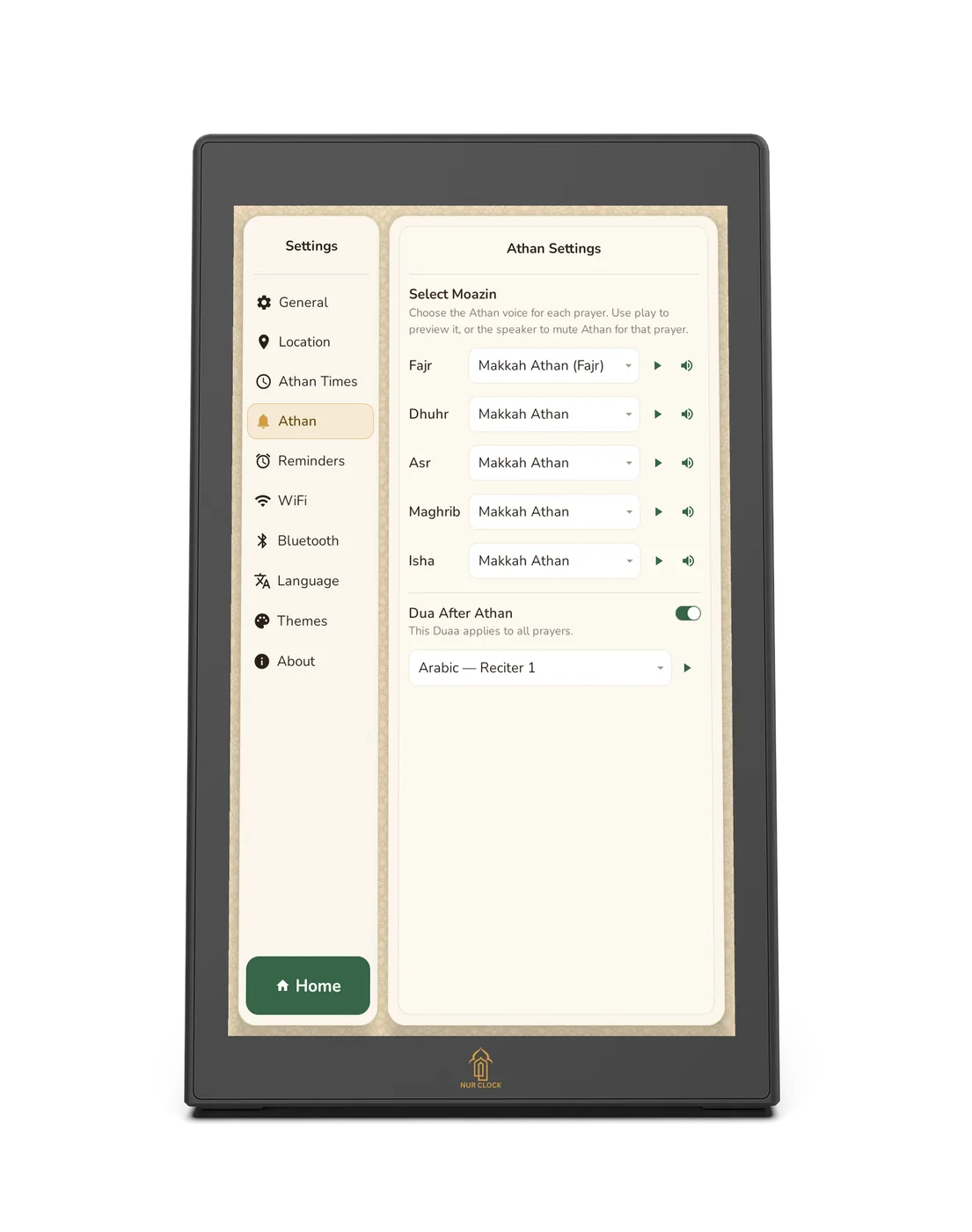
Open Settings → Athan. Under Select Moazin, each prayer has its own list.

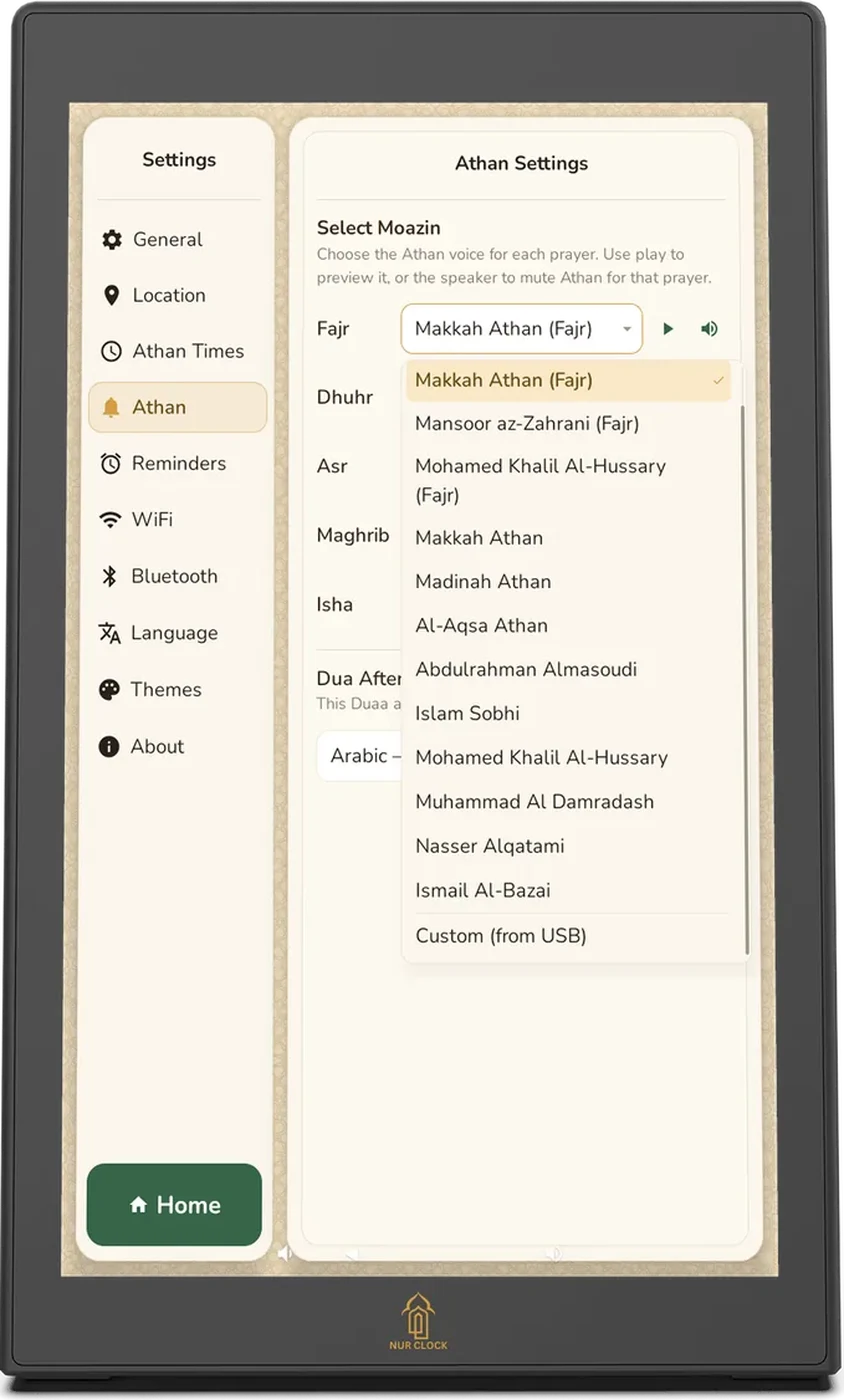
Tap a prayer’s list and choose a voice: Makkah, Madinah and Al-Aqsa Athan, and recitations by renowned muezzins.

For Fajr, choose one of the recordings marked (Fajr) to hear “Prayer is better than sleep”. Makkah Athan (Fajr) is the default.
Tap play to preview a voice. Tap the speaker icon to mute the Athan for that prayer.
Below the prayers, choose your Dua after Athan.
Athan and sound
Choosing a muezzin for each prayer
Choose a different voice for each prayer, from 13 built-in recordings, or add your own.
Nur Clock, 2nd generationSettings → Athan
The calligraphy on screen moves in time with the words for all 13 built-in voices.
Was this helpful?
Thank you for letting us know.
Sorry about that. Tell us what you were looking for and we’ll help.
Related articles
Still need help?
Email support@nurclock.com and the team that makes Nur Clock will reply.