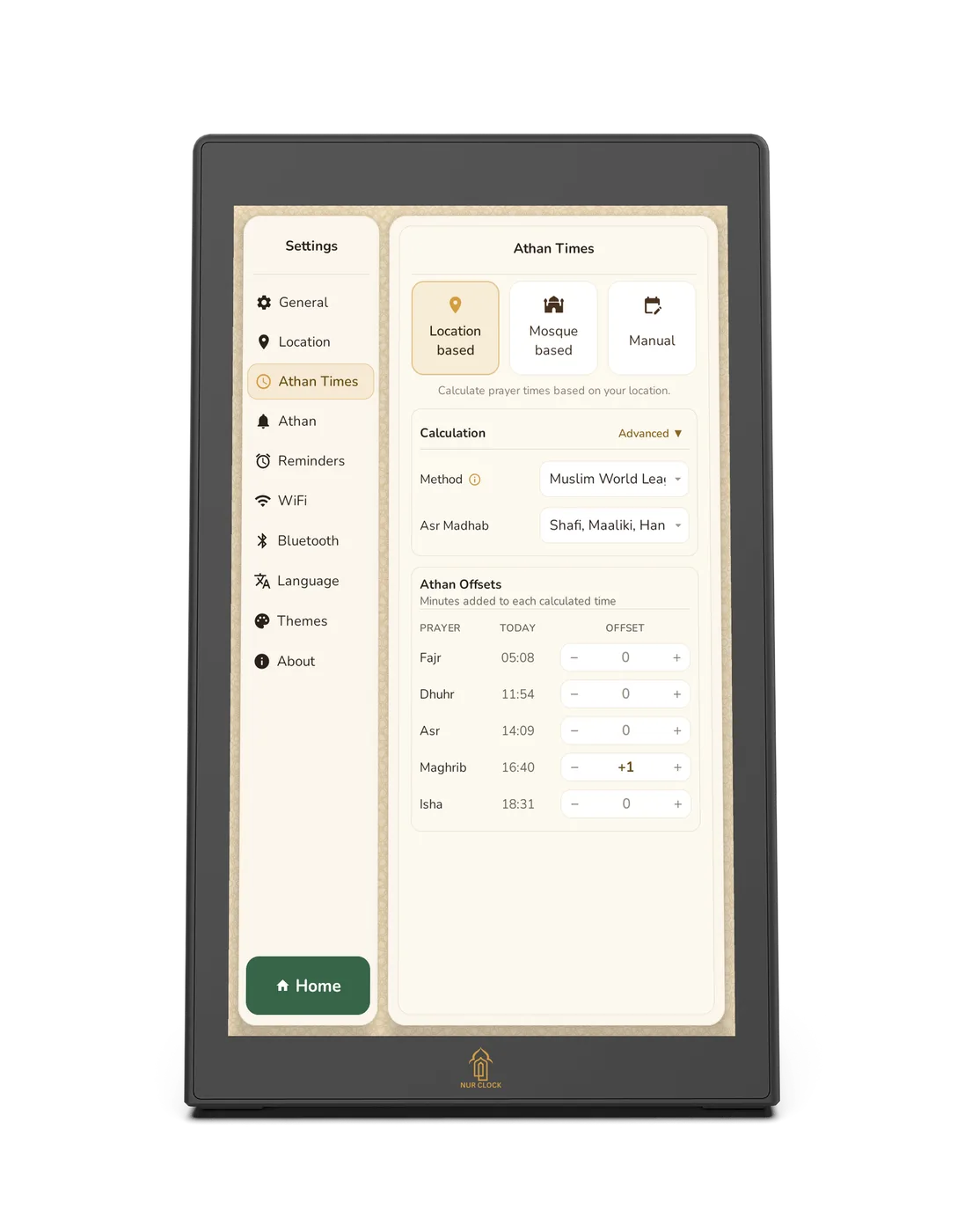
Open Settings → Athan Times and choose Location based.
Find the adjustments for Fajr, Dhuhr, Asr, Maghrib and Isha.
Use − and + to move a prayer earlier or later, by up to 60 minutes.
Changes save automatically and apply every day.


Prayer times
If your times are a minute or two away from your mosque’s, move any prayer earlier or later.
Nur Clock, 2nd generationSettings → Athan Times → Location based
Open Settings → Athan Times and choose Location based.
Find the adjustments for Fajr, Dhuhr, Asr, Maghrib and Isha.
Use − and + to move a prayer earlier or later, by up to 60 minutes.
Changes save automatically and apply every day.
Maghrib is set 1 minute after sunset by default. If your mosque publishes a full monthly timetable, add it instead and Nur Clock will use its exact times.
Was this helpful?
Thank you for letting us know.
Sorry about that. Tell us what you were looking for and we’ll help.
Still need help?
Email support@nurclock.com and the team that makes Nur Clock will reply.