

Connect the power adapter to the DC input on the back of the clock, then plug it into the wall. Nur Clock starts by itself.
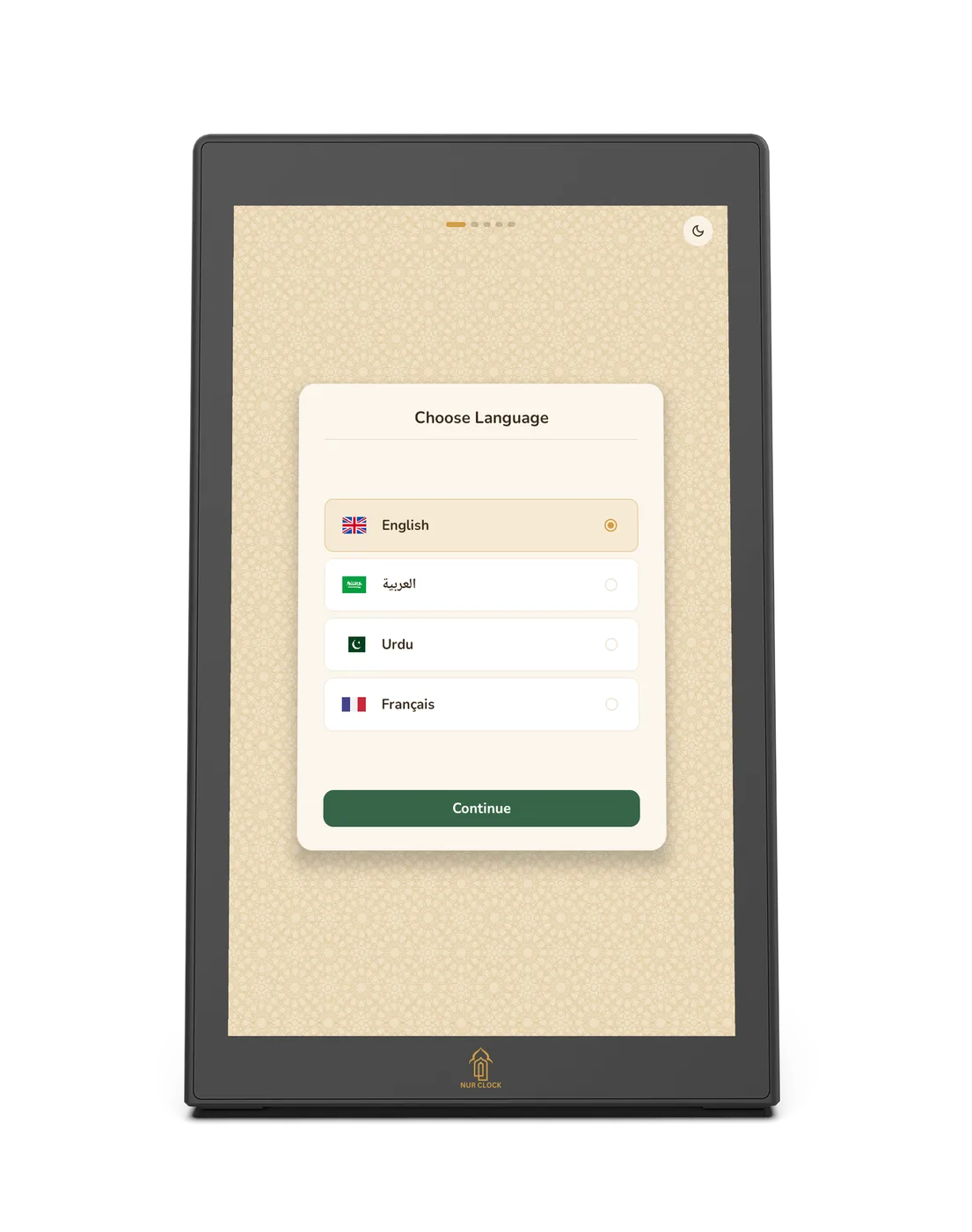
Choose your language: English, العربية, اردو or Français.

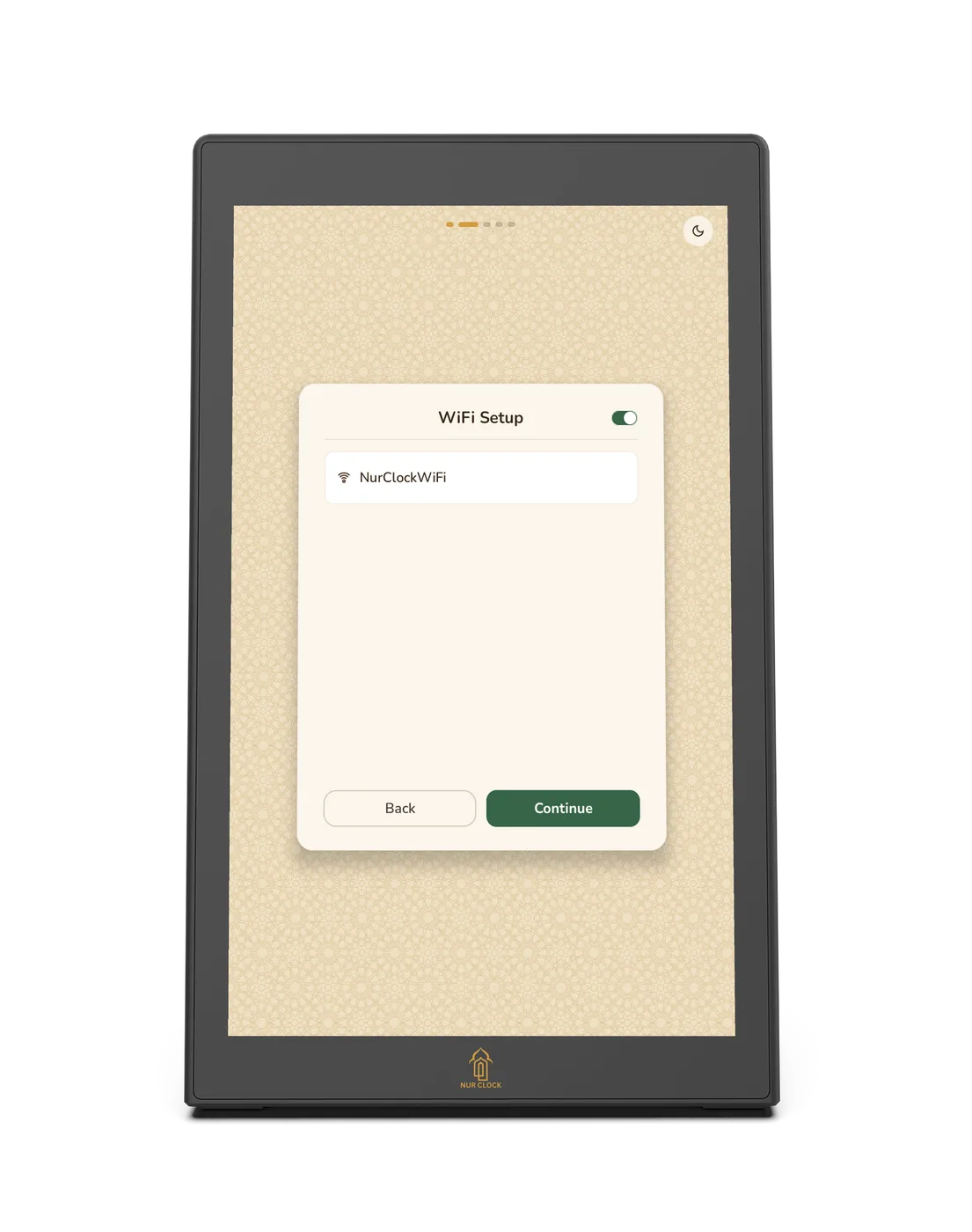
Connect to Wi-Fi, or tap Skip. Prayer times, the Athan and reminders all work without it.
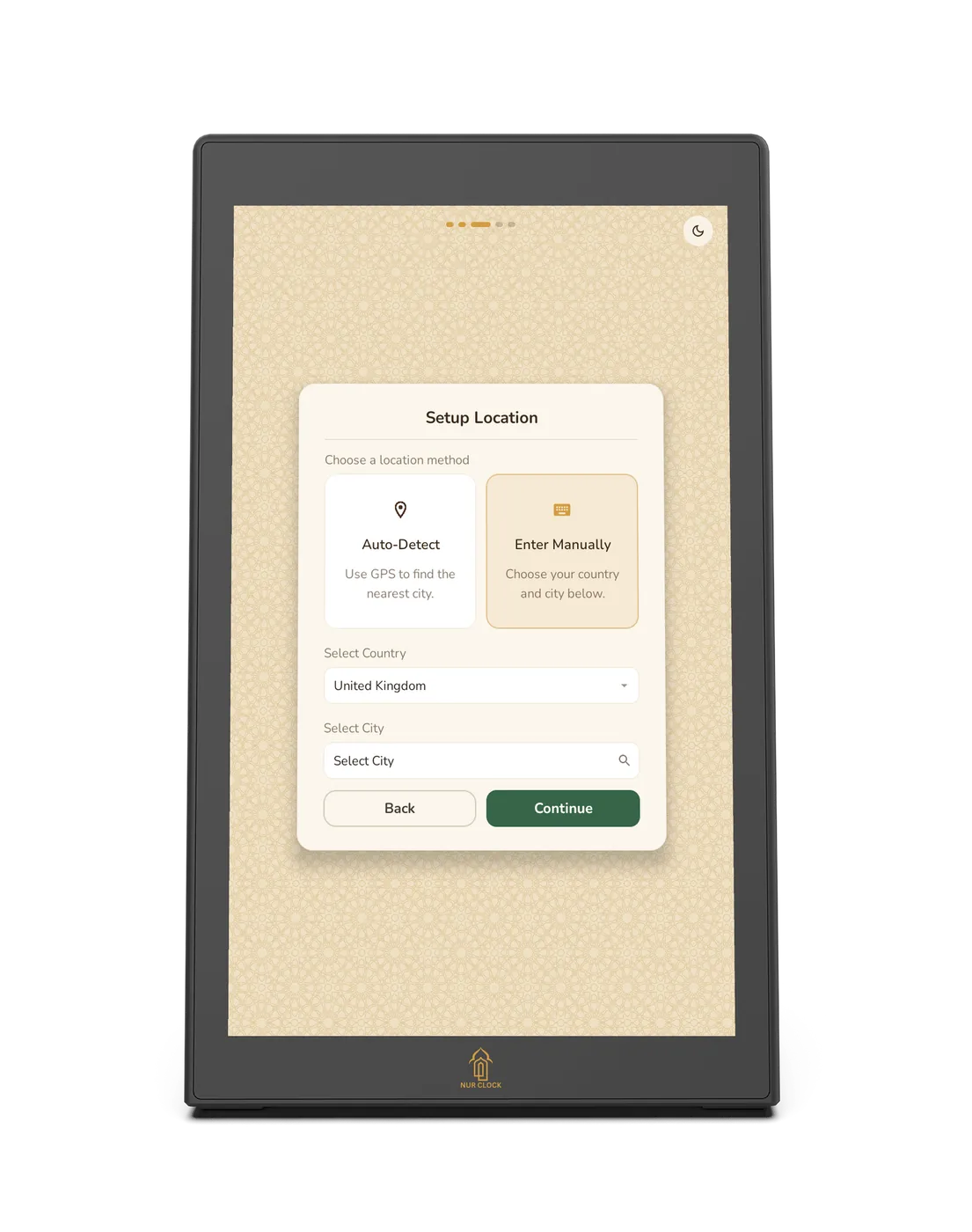
Set your location. Tap Auto-detect, or choose your country and city from the built-in list. Your prayer times and time zone are set for you.
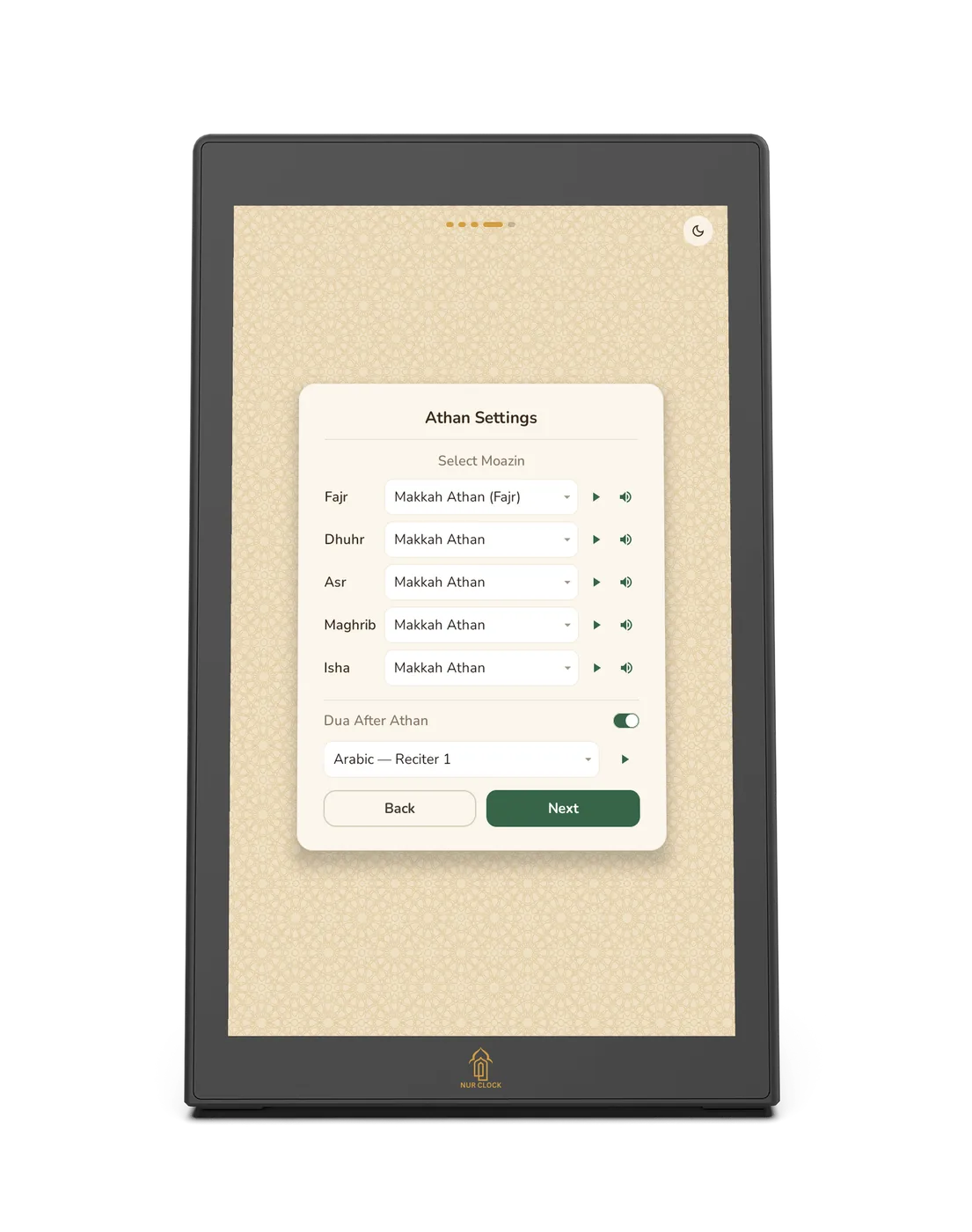
Choose your Athan: pick a muezzin for each of the five prayers.
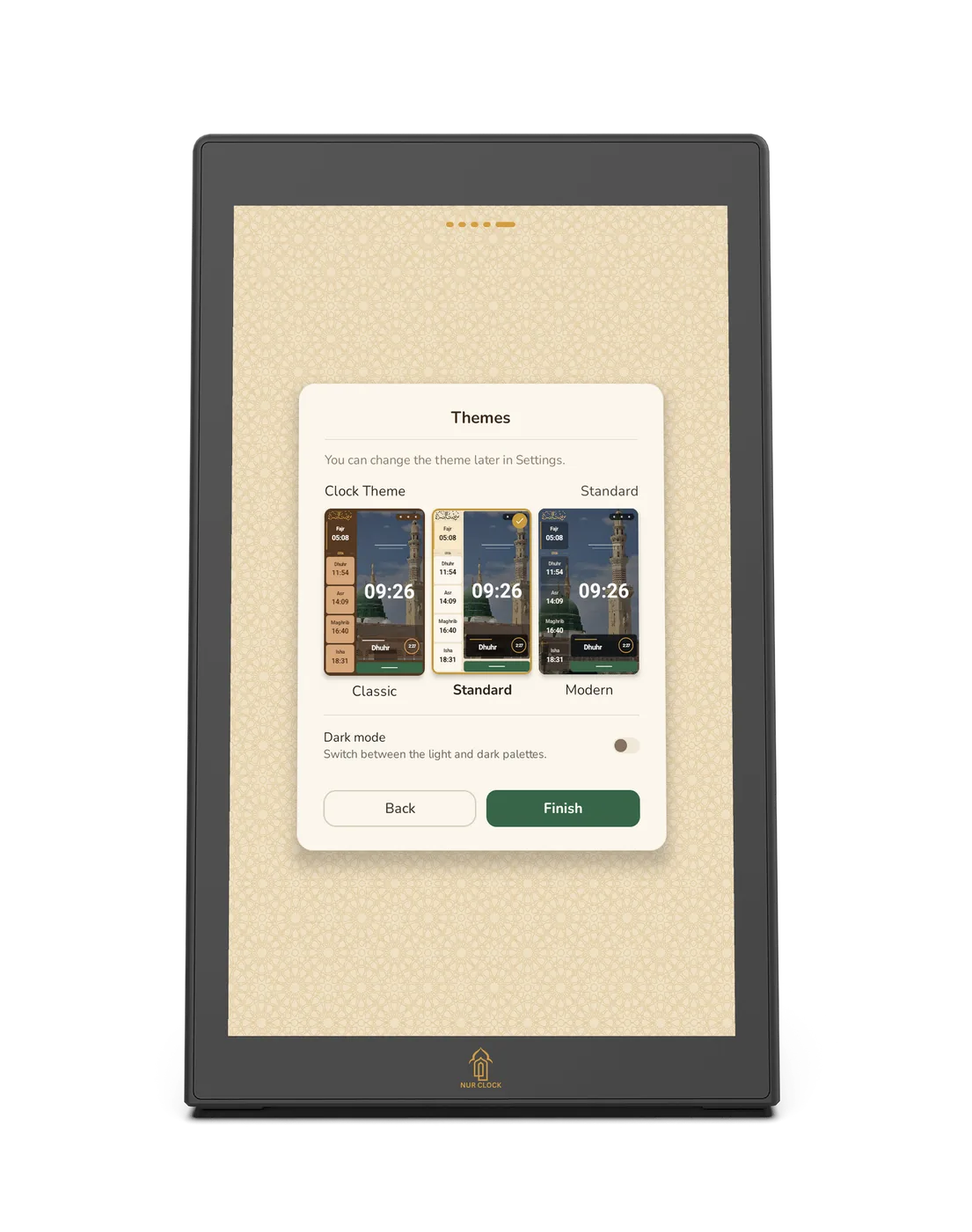
Pick a clock style (Classic, Standard or Modern) and a background.
Getting started
Setting up for the first time
The first time you switch Nur Clock on, it guides you through five short steps. Every choice can be changed later in Settings.
Nur Clock, 2nd generationPlug in and follow the screen
The first time the Athan plays, a short tour points out the Settings and Listen buttons. You can watch it again any time from Settings → About → Replay intro.
Was this helpful?
Thank you for letting us know.
Sorry about that. Tell us what you were looking for and we’ll help.
Related articles
Still need help?
Email support@nurclock.com and the team that makes Nur Clock will reply.